The Export/Import Template view for XML
You define and
edit templates for export and import in the Export/Import Template
view for XML in the DataWindow painter. The view uses a tree view to represent
the template.
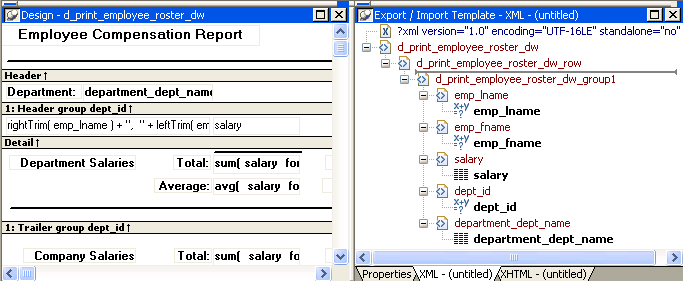
When you create a new DataWindow object, PowerBuilder displays a default template
in the Export/Import Template view. You can edit only one
template at a time in the view, but you can create multiple templates
and save them with the DataWindow object. Each template is uniquely associated
with the DataWindow object open in the painter.
The default template has one element for each column in the DataWindow object.
Creating, opening, and saving templates
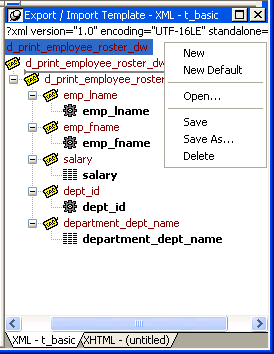
From the pop-up menu for the Export/Import Template
view (with nothing selected), you can create new templates with
or without default contents, open an existing template, save the
current template, or delete the current template. You can only open
and edit templates that are associated with the current DataWindow object.
Representing tree view items
Each
item in the template displays as a single tree view item with an
image and font color that denotes its type. The end tags of elements
and the markup delimiters used in an XML document do not display.
Table 29-1 shows
the icons used in the Export/Import Template view.
|
Icon |
Description |
|---|---|
|
|
XML declaration or document type declaration |
|
|
Root or child element |
|
|
Group header element |
|
|
DataWindow column reference |
|
|
Static text control reference |
|
|
Computed field or DataWindow expression reference |
|
|
Literal text |
|
|
Comment |
|
|
Processing instruction |
|
|
CDATA section |
|
|
Nested report |


