Version of PowerServer Nuget packages does not match that of
PowerBuilder
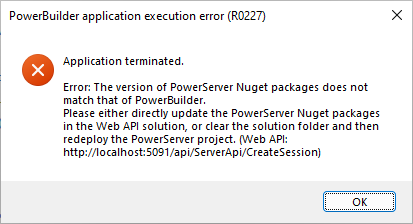
When running the installable cloud application, the following
error occurs: Application Terminated. The version of PowerServer Nuget
packages does not match that of PowerBuilder.
Cause:
This error is normally occurred when you deploy to an existing
PowerServer C# solution and the solution references to the PowerServer
NuGet packages which are incompatible with the current
application.
Solution:
You can either generate a new PowerServer C# solution, or
upgrade the PowerServer NuGet packages referenced by the existing
PowerServer C# solution. You can refer to this
table for a list of NuGet packages compatible with the
application deployed via PowerServer Toolkit from different
builds.
To upgrade the PowerServer NuGet packages referenced by the
existing PowerServer C# solution, you can
1) Open the PowerServer C# solution in SnapDevelop.
2) Select menu: Tools > NuGet Package Manager > Manage
NuGet Packages for Solution.
3) In the NuGet – Solution window, install or upgrade both
PowerServer.Core and PowerServer.Api to the compatible
version.
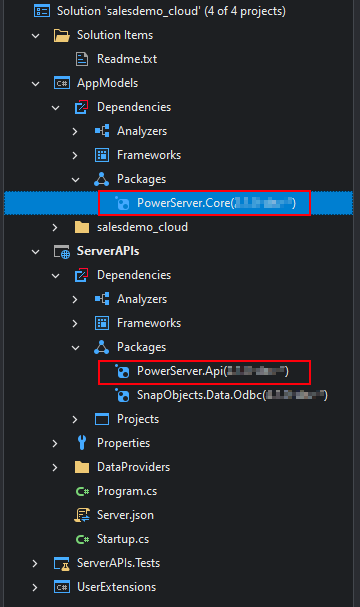
4) After that, double check that PowerServer.Core and PowerServer.Api are installed with the
compatible versions now (as shown in the figure below).