Configuring Apache to be case-insensitive
As PowerBuilder is designed to be case-insensitive and always uses
lower cases to access the deployed folders/files, therefore, in a
case-sensitive file system like Linux, folder/file names (such as theme
files, images etc.) containing upper cases may not be found or loaded.
To avoid such issues, you should always use lower cases in folder/file
names for your application, or add the following configuration to Apache
in Linux to ignore the case:
-
Go to the /etc/httpd/conf folder, and open httpd.conf in a
text editor. -
Search “loadmodule” and add the following lines.
Pay special attention to the words “speling_module” and “mod_speling” (not spelling).
12LoadModule <span><strong>speling</strong></span>_module modules/mod_<span><strong>speling</strong></span>.soCheckSpelling on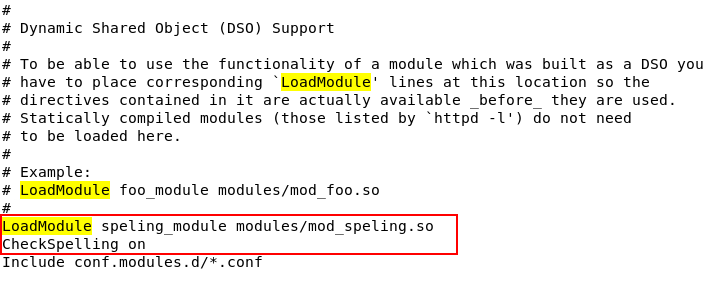
-
Check if any syntax error in httpd.conf.
1$ sudo apachectl configtest -
Restart Apache.
1$ sudo systemctl restart httpdIf Apache failed to start, go to the /var/log/httpd folder and
view the error_log.log and access_log.log files to read the detailed
error information.