Specifying more than one row or column
Typically you specify one database column as the Columns
definition and one database column for the Rows definition, as in the
printer crosstab. But you can specify as many columns (or expressions)
as you want.
For example, consider a crosstab that has the same specification
as the crosstab in Viewing the
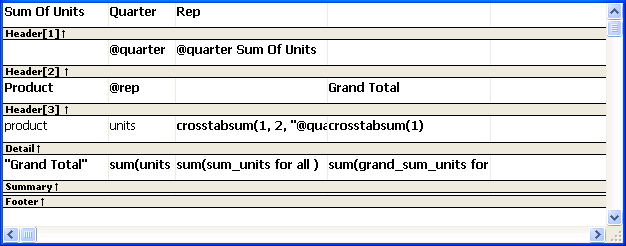
crosstab, except that two database columns, quarter and rep,
have been dragged to the Columns box.
PowerBuilder displays this in the Design view:
This is what you see at runtime:
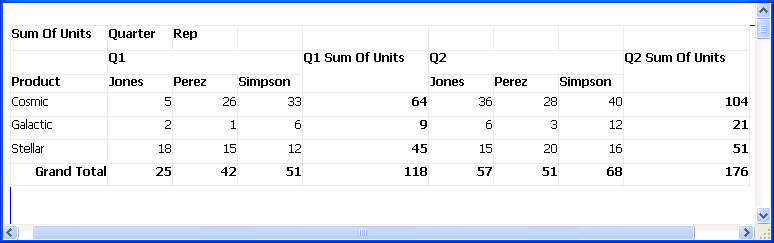
For each quarter, the crosstab shows sales of each printer by
each sales representative.
Document get from Powerbuilder help
Thank you for watching.
Subscribe
Login
0 Comments
Oldest