Specifying default global objects
PowerBuilder provides five built-in global objects that are
predefined in all applications.
|
Global object |
Description |
|---|---|
|
SQLCA |
Transaction object, used to communicate |
|
SQLDA |
DynamicDescriptionArea, used in dynamic SQL |
|
SQLSA |
DynamicStagingArea, used in dynamic SQL |
|
Error |
Used to report errors during execution |
|
Message |
Used to process messages that are not |
You can create your own versions of these objects by creating
a standard class user object inherited from one of the built-in
global objects. You can add instance variables and functions to
enhance the behavior of the global objects.
For more information, see Chapter 15, “Working with User Objects .”
After you do this, you can specify that you want to use your
version of the object in your application as the default, instead
of the built-in version.
 To specify the default global objects:
-
In the Properties view, click Additional
Properties and select the Variable Types tab.The Variable Types property page displays.
-
Specify the standard class user object you defined
in the corresponding field.For example, if you defined a user object named mytrans that
is inherited from the built-in Transaction object, typemytransin
the box corresponding to SQLCA.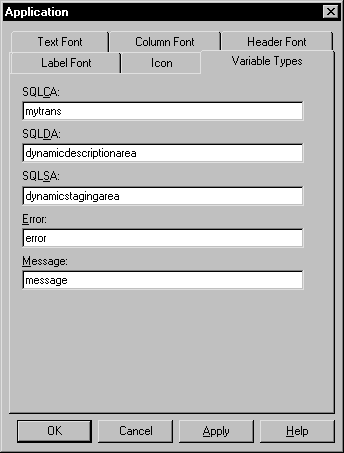
-
Click OK.
When you run your application, it will use the specified standard
class user objects as the default objects instead of the built-in
global objects.