Sorting rows in a TreeView DataWindow
 To sort the rows within levels in a TreeView DataWindow:
-
Select Rows>Sort from the menu
bar. -
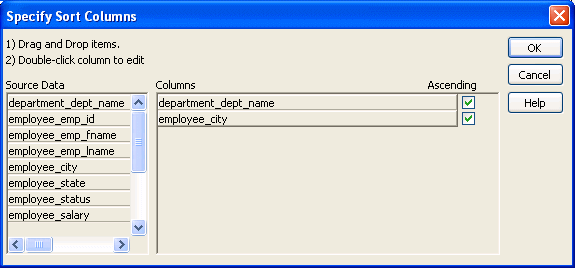
Drag the columns that you want to sort the rows
on from the Source Data box to the Columns box.
The order of the columns determines the precedence of the
sort. The sort order is ascending by default. To sort in descending
order, clear the Ascending check box.
For example, the sample DataWindow shown in “Example” has department
name as the first level and the employee’s city of residence
as the second level.
Other actions you can take
To reorder the columns, drag them up or down in the list.
To delete a column from the sort columns list, drag the column outside
the dialog box. To specify an expression to sort on, double-click
a column name in the Columns box and modify the expression in the
Modify Expression dialog box.