Preparing the PowerServer Project
Open the Example Sales App in PowerBuilder (Searching for
Example Sales App in the Start Menu should be enough)
and then the PowerServer project salesdemo_cloud inside
salesdemo.pbl.
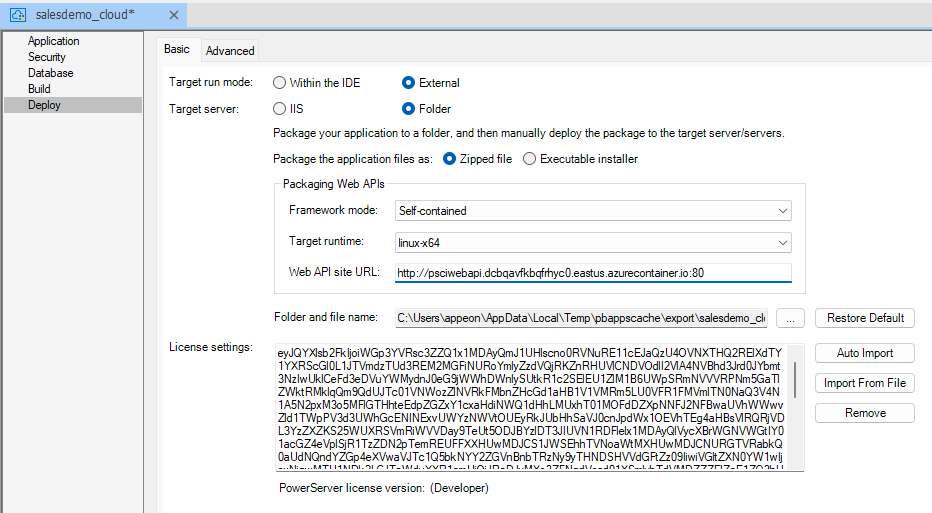
In the Deploy>Basic tab, select External as the target run mode, and then select
Folder as the target server.
Specify to package the application files as a Zipped file.
Select Self-contained and linux-x64, and input the Web API site URL. This
site URL will be used as the Web API URL.
Note: By this point you should already have configured the Database
as per the database section of the Publishing
PowerServer to Azure App Service tutorial.
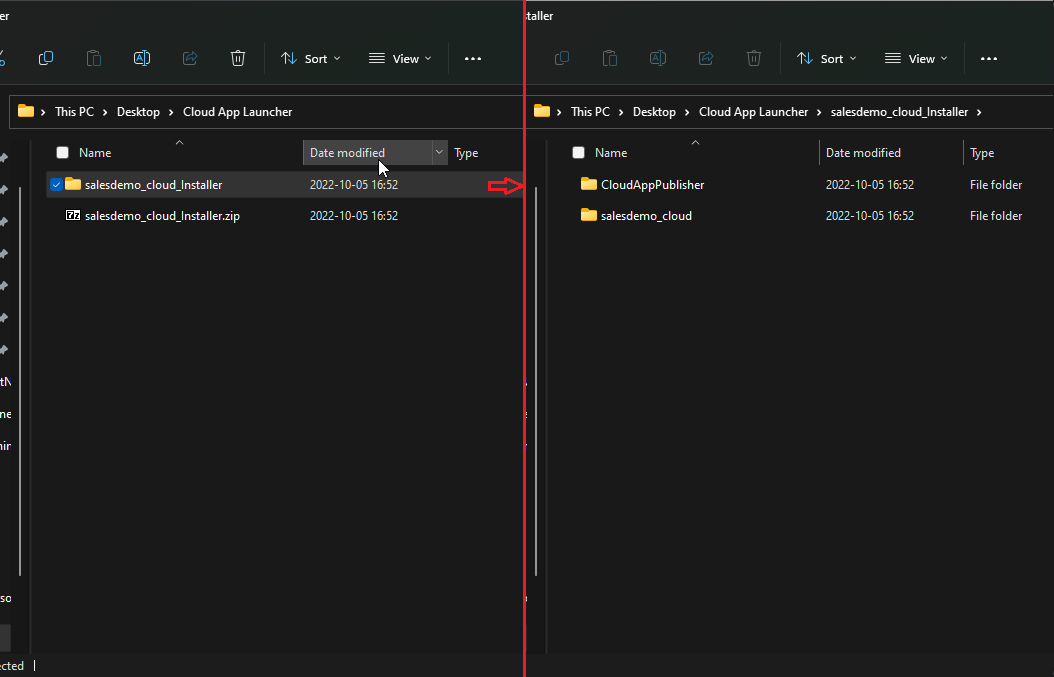
Deploy the PowerServer project and then extract the generated
archive into a folder in the same location so that the structure looks
like this: