Overview
The new RibbonBar control allows you to organize the navigation
of your application in a simple, structured way, and gives the
application the look and feel of modern applications. Because
RibbonBar is provided in PowerBuilder as a control while Menu is a
system object, the way that a RibbonBar works in an application is
different from the application menu. This tutorial uses a demo
application to walk you through the steps of replacing an application
menu with a RibbonBar.
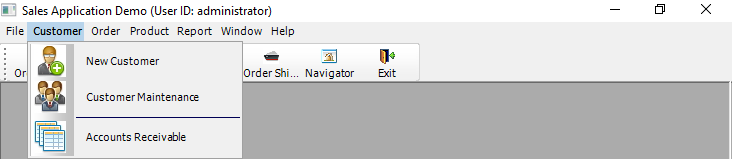
The figure below shows what the menu looks like in the original
demo application.
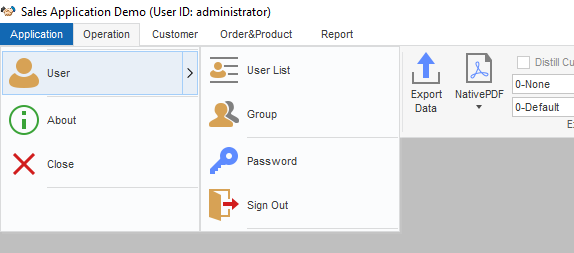
The figure below shows what the RibbonBar control looks like
after you use it to replace the menu in the application.

This tutorial contains the following sections:
-
This explains how to set up the demo application used in the
tutorial. -
You shall have a clear understanding of your application to
know how to design and create a RibbonBar for it. -
Add the RibbonBar to the
applicationThe RibbonBar will replace the existing menu in the
application. Therefore, you must disable the existing menu before
adding the RibbonBar. -
The RibbonBar needs to be initiated after created by
XML/JSON, or PowerScript. -
Define
and bind user events with RibbonBar itemsThe ribbon item controls have no events and must be bound
with user events. -
Associate
functions with RibbonBar itemsPreviously the application functions are all associated with
menu items. You need to decide which function to associate with
which RibbonBar item. -
Finally, this section highlights the major points you should
consider when you start to replace the menu in your application
with RibbonBar.