Inserting a nonvisual object in a user object
How you insert a nonvisual object
You can automatically create nonvisual objects in any type
of user object by inserting a nonvisual object in the user object.
You do this if you want the services of a nonvisual object available
to your user object.
The nonvisual object you insert can be a custom class user
object or one of most of the types of standard class user objects.
 To insert a nonvisual object in a user object:
-
Open the user object in which you want
to insert the nonvisual object. -
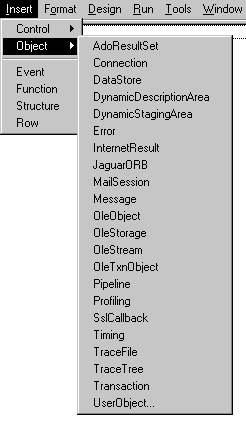
Select Insert>Object from the menu bar.
-
Click the type of standard class user object you
want to insert.or
Click User Object (at the bottom of the list) and then
select the nonvisual object you want to insert.PowerBuilder creates a new nonvisual object in your user object.
-
Modify the properties and code the events of the
nonvisual object as needed.
When your user object is created in your application, the
nonvisual object is automatically created, and when your user object
is destroyed, the nonvisual object is automatically destroyed.
How you know the nonvisual object is inserted
Since a standard class object is nonvisual, you can’t
see it. But if you look at the Non-Visual Object List view, you’ll
see all the nonvisual user objects that exist in your user object.
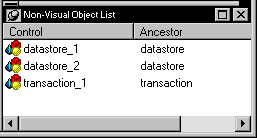
Using the Non-Visual Object List view’s popup menu,
you can display a nonvisual object’s properties in the
Properties view, display the Script view for a nonvisual object
to code the object’s behavior, or delete a nonvisual object.