Icon not found on executable or window while compiling with
OrcaScript or standalone PBC
Phenomenon
Icon assigned to a Window object is not found or shown.
Icon assigned to an executable file is not found or shown.
Scenario
An icon has been assigned to an Window object who can normally be
compiled, the path to the icon is relative or referenced on the same
location as the application.
The application is compiled using OrcaScript or standalone
PBC.
Possible solution
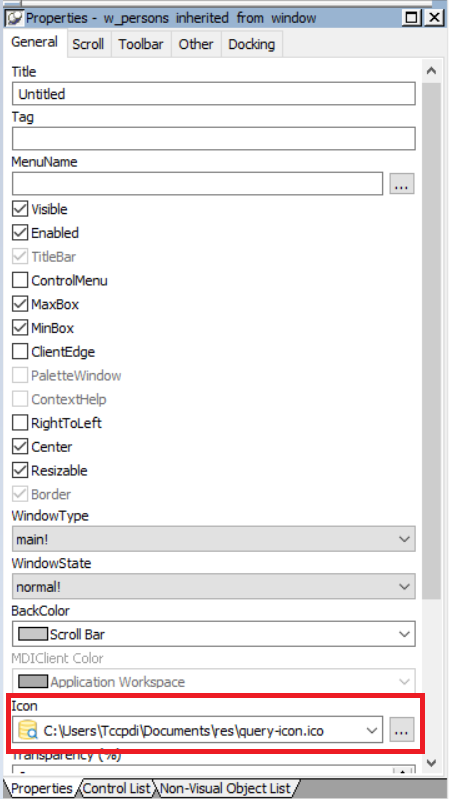
Assign the icon with it’s FULL path and filename to the Window
object as shown on the screenshot and save the changes:
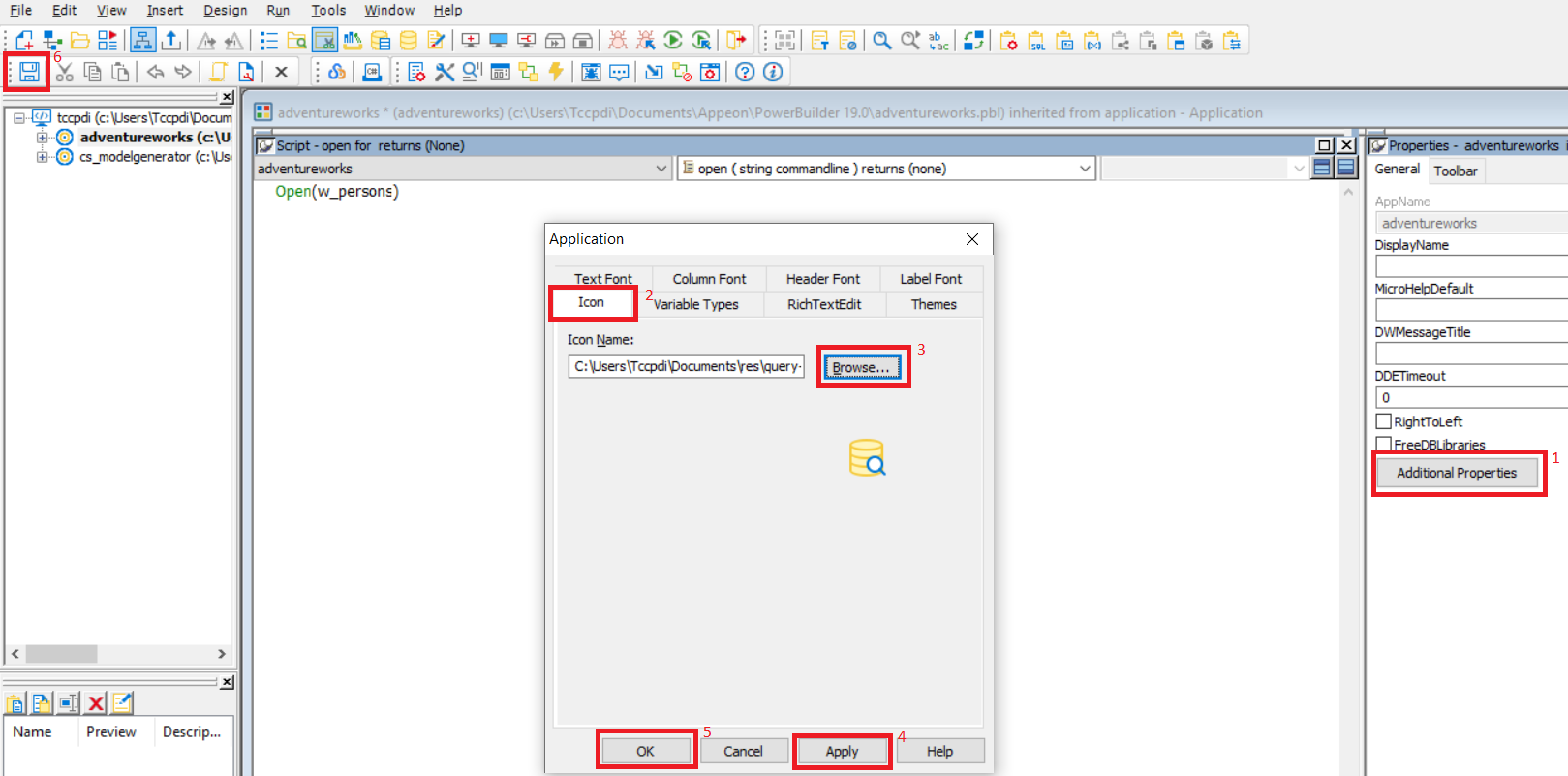
Select the application object, view it’s properties and click on
the “Additional Properties” button.
Select the icon tab, write the full path of the desired icon or
browse to it’s location as shown on the screenshot and save the
changes:
Verify that the icons are now shown correctly after compiling
using OrcaScript or PBC.
Finally make sure you have proper permissions to access the
file.