Correlating the access token
To correlate the access token, you can use the following
-
a Regular Expression
Extractor that saves the access token into a local
variable -
a BeanShell Sampler that
calls the “setProperty” function to set the local variable as a
global property, so that it can be shared in all thread
groups
In the case of PowerServer, the GetToken request gets the access token,
therefore, you add a Regular Expression
Extractor to the GetToken
request to get and save the token into a local variable.
A GetToken request will look
like this:
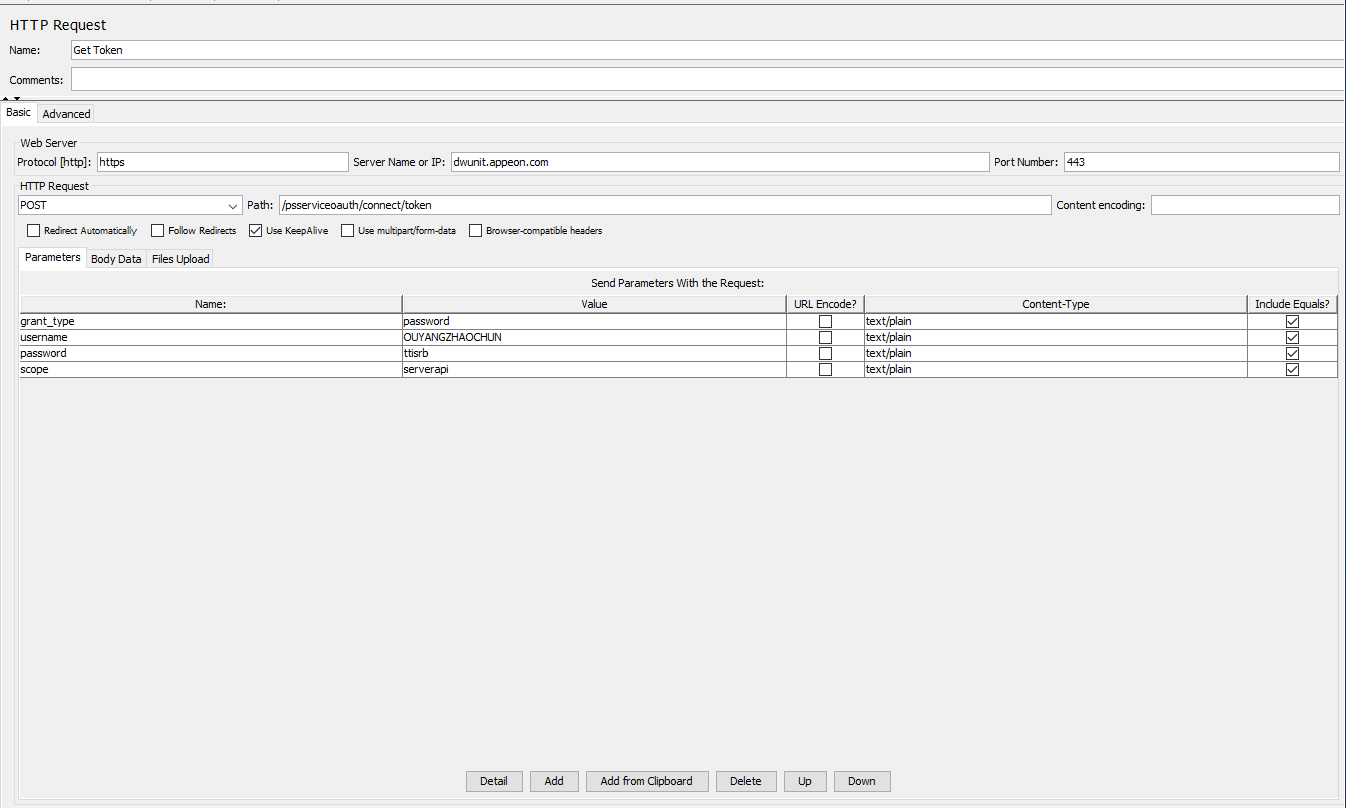
To add a Regular Expression
Extractor, right click on the GetToken request and then select Add > Post
Processors > Regular Expression
Extractor.
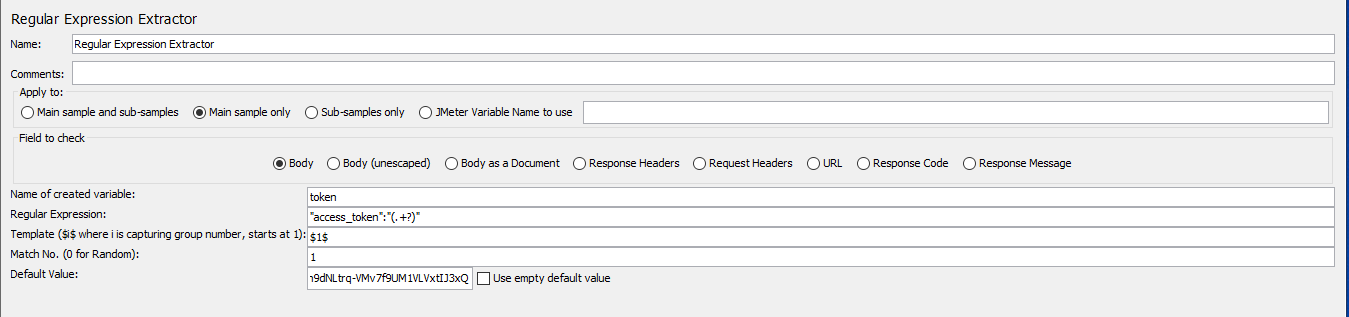
Specify the Regular Expression
Extractor like this.
-
Name of created variable:
“token” or any name you prefer -
Regular Expression:
“access_token”:”(.+?)” -
Template: $1$
-
Match No.: 1
The access token will be saved to the “token”
variable. You can invoke the local variable by typing
${token} in the requests (bodies and headers).
If you want to make the “token” variable a global
property that can be accessed by all threads and thread groups, you
can add a BeanShell Sampler or
BeanShell PostProcessor to call the
JMeter “setProperty” function. The “setProperty” function can set the
“token” variable as a global property. the section called “Modifying the scripts” has instructions for how to add a
BeanShell PostProcessor. This section
will show how to add a BeanShell
Sampler.
To add a BeanShell Sampler,
right click on setUp Thread Group, and then select Add > Sampler > BeanShell
Sampler.
-
Use the default name or input any name you prefer.
-
Input the following script:
${__setProperty(token,${token},)}
The “token” variable can be accessed as a JMeter
global property.

Use the Search menu to search
for all occurrences of “access_token” in all thread groups, and
replace the static value of token with the global property
${__property(token,,)}.