Communication error when connecting with the Informix
database
When connecting to the Informix database in the Database
Configuration dialog, there is an error message similar to the
following:
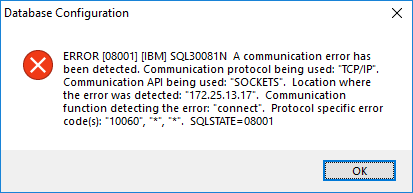
A common mistake is to specify a SQLI port number in the Database
Configuration dialog. The IBM Data Server .NET Provider uses the DRDA
protocol (not the SQLI protocol) to communicate with Informix,
therefore, a DRDA port number must be specified in the Database
Configuration dialog.
By default Informix is installed with DRDA support and the port
number is 9089. However, if Informix is installed without the DRDA
support, you will need to enable the DRDA support by following
instructions in the IBM
Informix Developer’s Handbook > the “Enabling DRDA support”
section.