About
form styles
InfoMaker comes with built-in form styles with which users can build
sophisticated forms. You can create your own form styles in PowerBuilder
and provide them to InfoMaker users. With these custom form styles, you
can enforce certain standards in your forms and provide extra
functionality to your InfoMaker users. For example, you might want
to:
-
Include your organization’s logo in each form
You can do this by creating custom form styles that have the
logo in place. -
Reconfigure the toolbar that is provided with the built-in form
stylesYou can do this by modifying a built-in form style and saving it
as a custom form style. -
Use drag and drop in forms
-
Include picture buttons, edit controls, and other controls in
forms
Almost anything you can do in a PowerBuilder window you can do in a
custom form style.
What a form style is
InfoMaker users use forms to maintain data. Users can view, add,
delete, and update data in a form. Each form is based on a form style,
which specifies:
-
The way the data is presented (for example, in a freeform, grid,
or master/detail presentation) -
The menu and toolbar that are available when users run a
form -
Actions that users can attach to command buttons in the
form
How form styles are
constructed
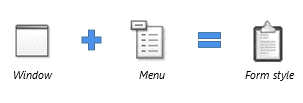
You build form styles in PowerBuilder. A form style consists
of:
-
A window
-
A menu
Figure: PowerBuilder form style
About the window
The window serves as the foundation of the form. It contains one or
more DataWindow controls with special names. It is these DataWindow
controls that are the heart of the form style. The user views and changes
data in the form through the special DataWindow controls.
This chapter refers to the special DataWindow controls as the
central DataWindow controls. You must name the central DataWindow controls
using one of a set of supported names.
In addition to the central DataWindow controls, the window can
contain any other controls that you can place in a window in PowerBuilder
(such as CommandButtons, RadioButtons, user objects, and pictures).
About the menu
When users run forms, they can pick items off a menu. You build the
menu in the Menu painter and associate it with the window that the form
style is based on.
When building the menu, you can specify which menu items should
display in a toolbar when a form is run. The toolbar works like all
PowerBuilder toolbars.
About actions
Form styles contain actions that users can attach to command buttons
in the form and that you can call in scripts.
Each public window function you define in the window for the form
style is available as an action to users of the form style.
Looking at an example
For example, the built-in form style Freeform consists of:
-
A window named w_pbstyle_freeform
-
A menu named m_pbstyle_freeform
About w_pbstyle_freeform
The window w_pbstyle_freeform contains a DataWindow control named
dw_freeform and contains no other controls.
The PowerBuilder window defines many window-level functions:
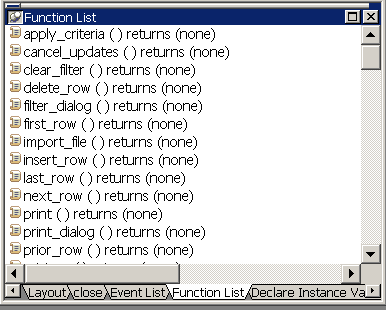
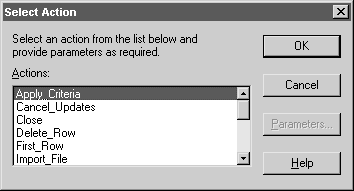
Each of these window functions is available as an action in
InfoMaker to users of the Freeform form style:
About m_pbstyle_freeform
The menu named m_pbstyle_freeform provides the menu items and
toolbar items available to users when they run forms based on the Freeform
style.
For example, m_pbstyle_freeform contains the item Specify Criteria
on the Rows menu; the item also displays on the toolbar:
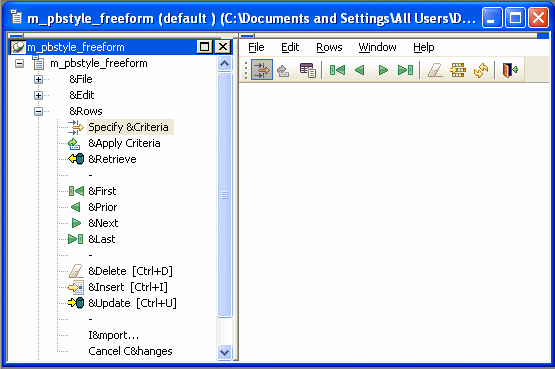
When InfoMaker users run the form, they can select Specify Criteria
to enter selection criteria that are used in retrieving rows in the
form.