web.config
web.config is used by IIS to start the PowerServer Web APIs (an
ASP.NET Core application). It configures which ASP.NET Core
application should be invoked and what is the hosting model for the
application in the IIS server. It will be ignored when deployed to
non-IIS servers.
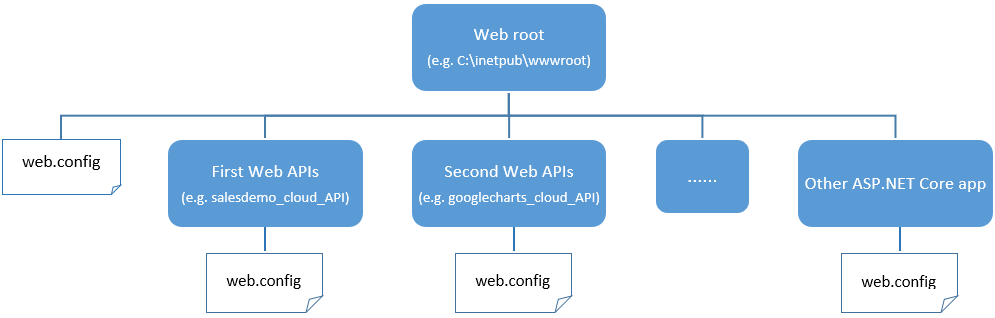
The web.config file must be in the web root or app root (after a
folder is converted to an IIS sub-app, it becomes the app root).
Multiple web.config files can exist in different folders of the same
web site.
-
The web.config file in the web root contains configurations
used by the web site, such as the file to launch when the web site
URL is run. -
The web.config file in the sub directory (sub app) contains
configurations used by the sub app only, such as the file to
launch when the sub app URL is run. Each sub app can have its own
web.config file.
When deploying the PowerServer Web APIs to IIS or creating a
package in the PowerBuilder IDE, you will find the web.config file
generated in the following directories:
-
The root web.config file — Generated in the root directory
and it is configured to start the ServerAPIs.exe file in the API sub-folder
by default.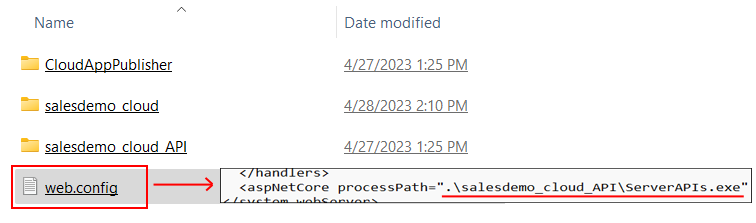
You can directly deploy or copy the root web.config and the
API sub-folder to the IIS web root. When the site URL (for
example, http://172.16.100.2:82) is run, the root web.config will
automatically launch the ServerAPIs.exe file in the API
sub-folder.
-
The sub web.config file — Generated inside the API
sub-folder and it is configured to start the ServerAPIs.exe file in the same folder by
default.
It is mainly used in two scenarios:
#1: You can copy all files (including sub web.config) from
the API sub-folder and place them directly under the IIS web root.
When the site URL (for example, http://172.16.100.2:82) is run,
the sub web.config file will automatically launch the ServerAPIs.exe file in the same
folder.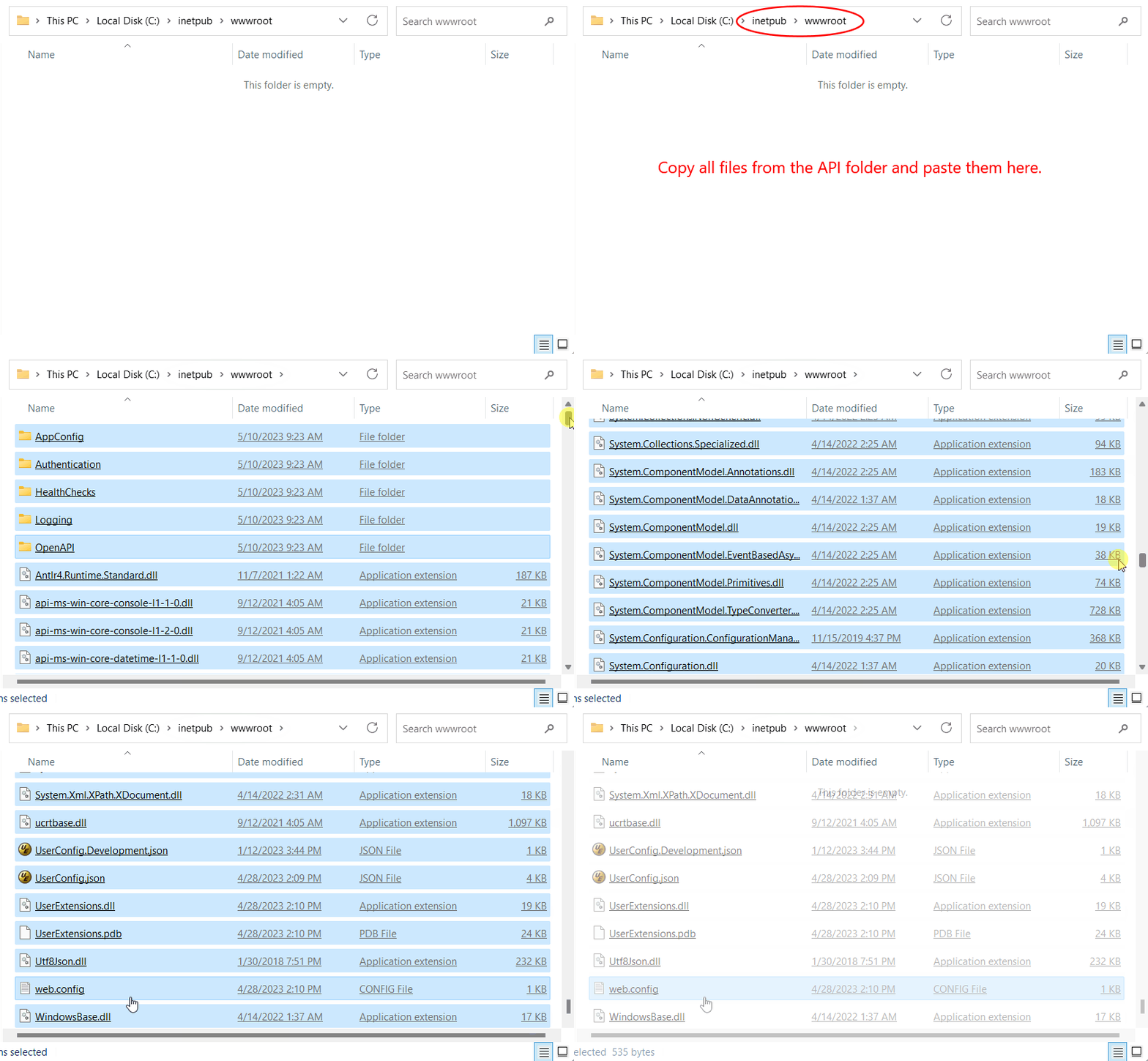
#2: You can also copy the entire API sub-folder to the IIS
web site and then convert the folder to
an IIS sub-app (this will turn the API folder into the app
root). When the URL (the site URL + sub-folder, for example,
http://172.16.100.2:82/salesdemo_cloud_API/) is run, the sub
web.config file in the API folder will launch the ServerAPIs.exe file in the same
folder.
Note
These web.config files will not overwrite each other because
they have the setting inheritInChildApplications=”false” by
default.