Verifying the example sales app
Step 1: Select Windows Start |
Appeon PowerBuilder 2022 R2, and then
right-click Example Sales App and
select More | Run
as administrator. The SalesDemo workspace is loaded in the
PowerBuilder IDE.
Note: Run as administrator is
recommended as administrator rights are required when performing some
tasks later (such as uploading files to the server).
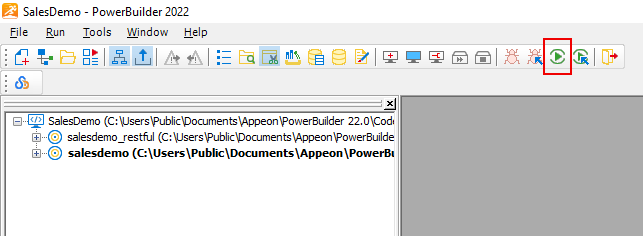
Step 2: Click the Run button in
the PowerBuilder toolbar and make sure the application can run and data
can be retrieved successfully. Close the application after verifying
it.
Document get from Powerbuilder help
Thank you for watching.
Subscribe
Login
0 Comments
Oldest