Using the Grid style
The Grid presentation style shows data in row-and-column format
with grid lines separating rows and columns. With other styles, you
can move text, values, and other objects around freely in designing
the report. With the grid style, the grid lines create a rigid
structure of cells.
An advantage of the Grid style is that users can reorder and
resize columns at runtime.
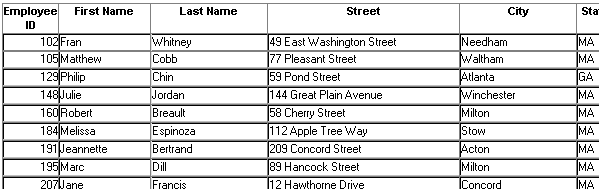
Original Grid report
This grid report shows employee information. Several of the
columns have a large amount of extra white space:
Grid report with modified column
widths
This grid report was created from the original one by decreasing
the width of some columns:

Document get from Powerbuilder help
Thank you for watching.
Subscribe
Login
0 Comments
Oldest