Uploading the Web APIs to the App Service through FTP
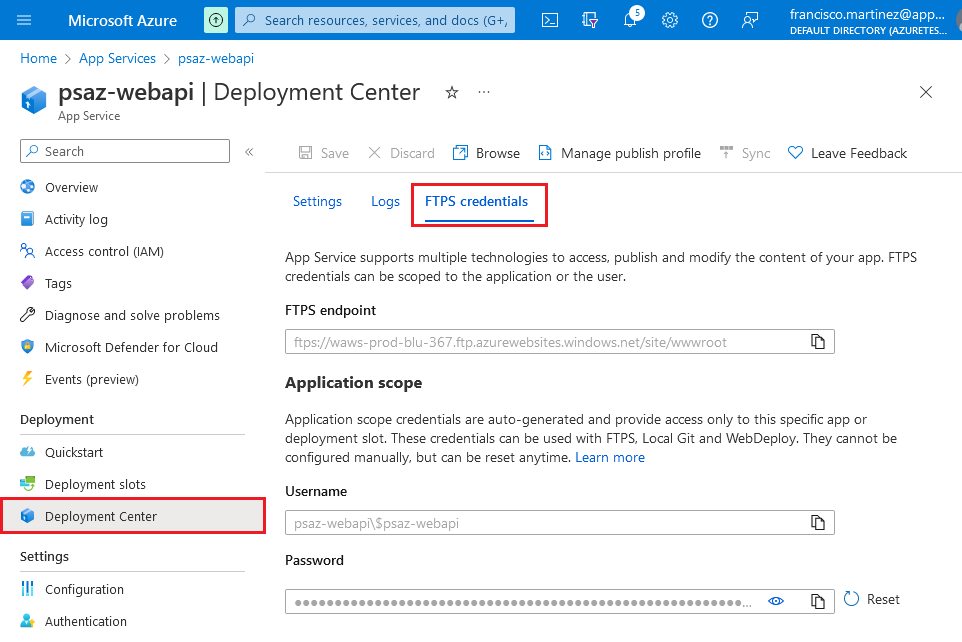
Go to Azure and open the Web App resource created some sections
ago. Go to the Deployment Center page and then to the FTPS credentials
tab.
Open Filezilla and set the left pane to the location of the
de-compressed package in the previous section.
Use the FTPS credentials to connect to the container through
Filezilla.
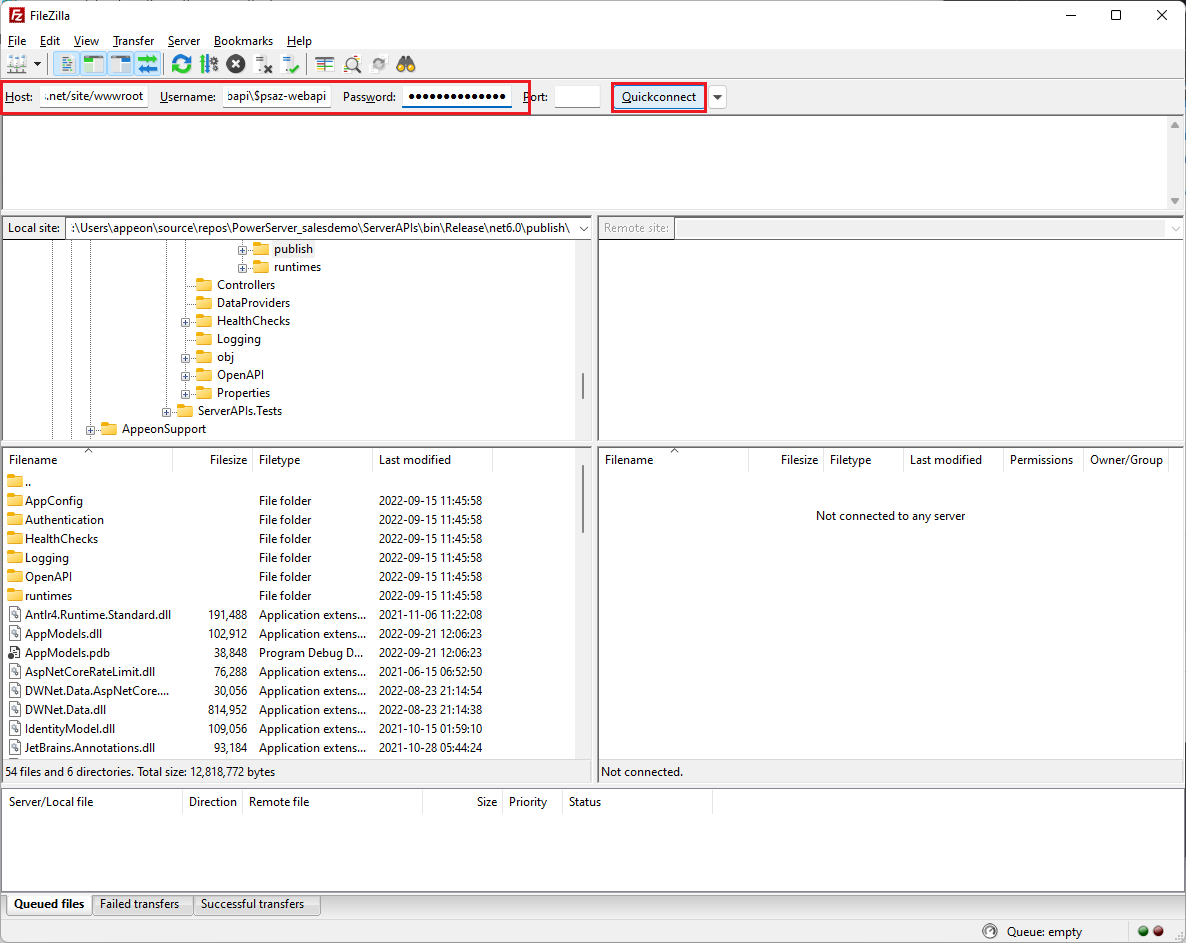
Delete the hostingstart.html file and copy
the contents of the publish folder into the
wwwroot of the Web App container.
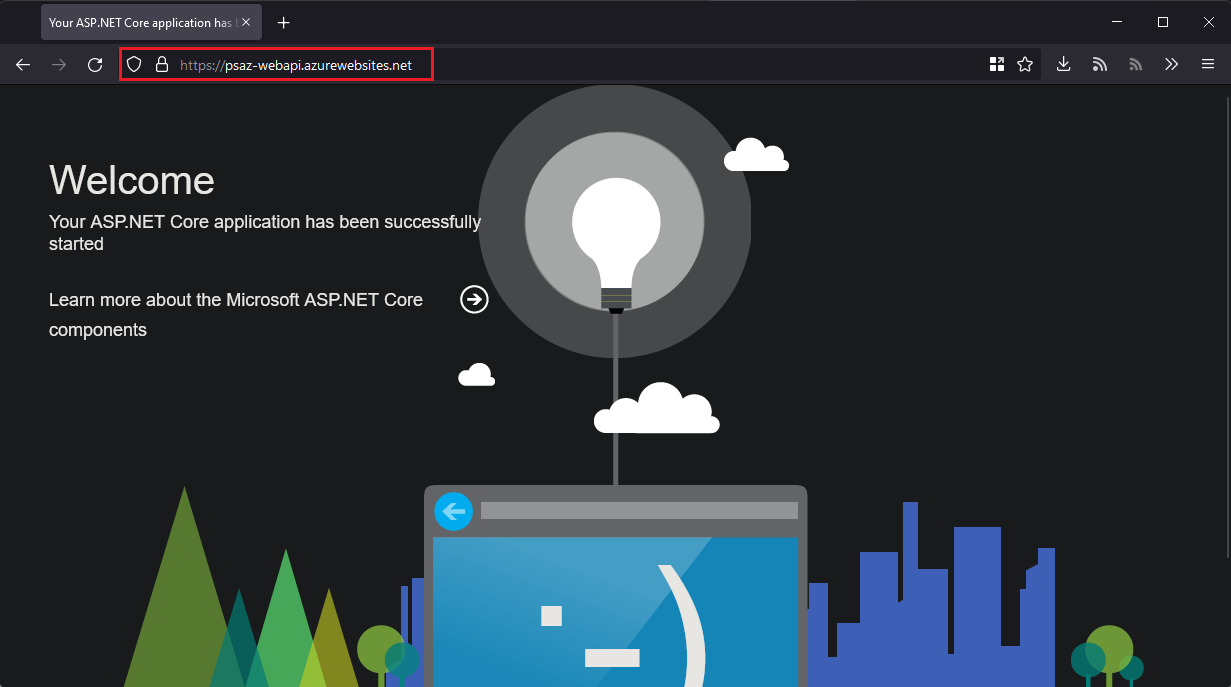
After that’s done, you should be able to browse to the public
URL of the container (visible on the Web App’s
Overview page).
Document get from Powerbuilder help
Thank you for watching.
Subscribe
Login
0 Comments
Oldest