Specifying the app .exe file as the Application
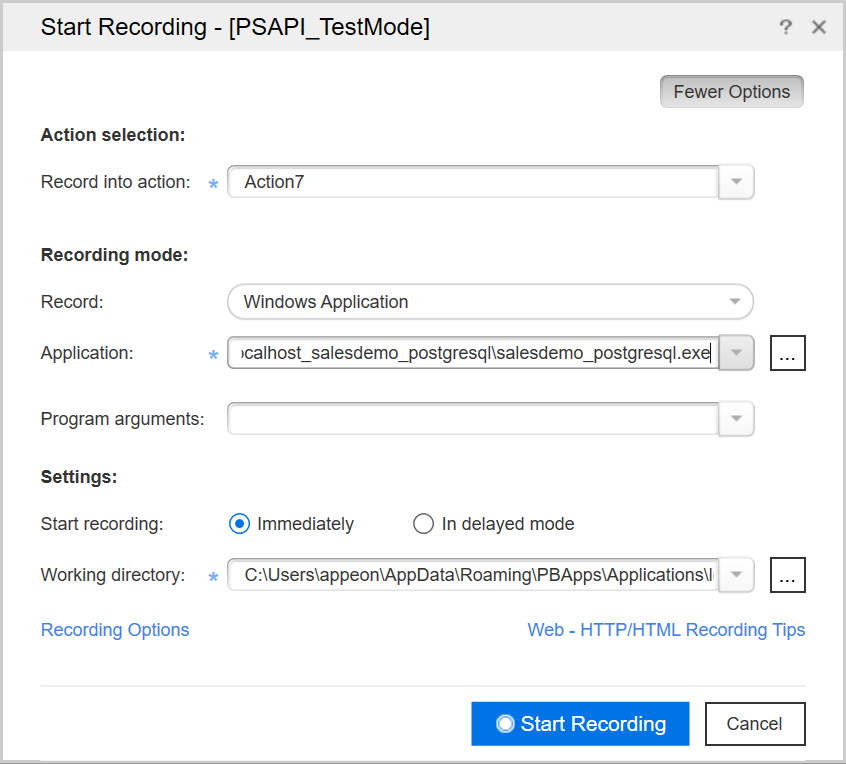
For recording, please fill up the Start Recording dialog similar
to the screenshot A provided below. Specifically, for the Application
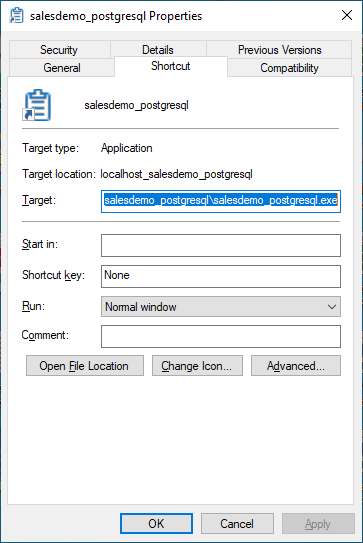
to run the URL, please specify the .exe file of the client app, which
you can get by right clicking the desktop shortcut of the app and then
copying from the properties > Target field.
Screenshot A: The Application field value is the .exe
file of the client app
Screenshot B: The Application field value read from
the Target field of the app properties
Document get from Powerbuilder help
Thank you for watching.
Subscribe
Login
0 Comments
Oldest