Specify
a WHERE clause
Now you specify a WHERE clause using the retrieval argument to
retrieve a specific customer.
-
Click the Where tab in the stack.
The Where view displays.
-
Click in the box below Column in the Where view.
A down arrow displays, and the box becomes a drop-down list
box. -
Select “customer”.”id”.
Your selection displays immediately below the Column heading.
An equal sign (=) appears in the Operator box. This is correct, so
do not change it.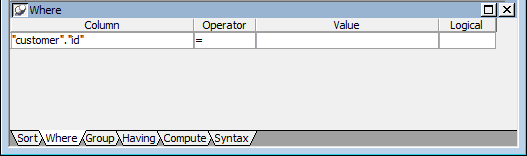
-
Right-click in the box below the Value column header in the
Where view.Select Arguments from the pop-up menu, select :cust_id, and
click Paste.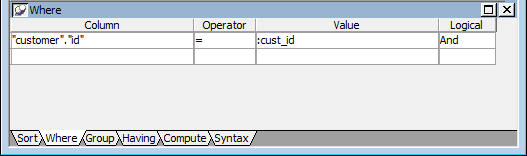
-
Click the Syntax tab in the stack.
The Syntax view displays the modified SELECT statement.
-
Scroll down until you see the generated WHERE clause.
You have now created a complete SQL SELECT statement that
retrieves data from several columns in the customer table where the
id column is equal to an argument that will be supplied during
execution.