Setting the root
In either the Tree view or the List view, you can set the root
location of the view.
To set the root of the current view
-
In either view, select View>Set Root from the menu bar or
select Set Root from the pop-up menu to display the Set Root
dialog box.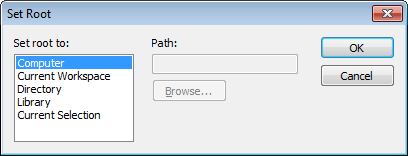
-
If you want the root to be a directory or library, type the
path or browse to the path.
Setting the root to the current
workspace
In the System Tree, the default root is the current workspace.
If you prefer to work in the Library painter, you may find it
convenient to set the root to the current workspace. Using the current
workspace as your root is particularly helpful if you are using many
libraries in various locations, because they are all displayed in the
same tree.