Selecting the authentication template
It is strongly recommended for security concerns, that in the
production environment, you shall safeguard the server resources
through implementing an authentication server with PowerServer.
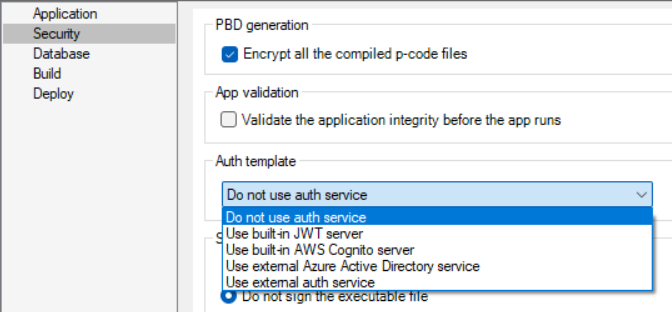
In the PowerServer project painter, select the Security page, then select a template type from
the Auth Template list.
-
Use built-in JWT server:
Includes a built-in authentication server that supports JWT or
bearer tokens. See Tutorial 6: Authenticating your
apps > Using JWT
for more information. -
Use built-in AWS Cognito
server: Includes a built-in authentication server that
works with the Amazon Cognito user pool. See Tutorial 6:
Authenticating your apps > Using Amazon Cognito for
more information. -
Use external Azure Active Directory
service: Includes templates that work with Azure AD or
Azure AD B2C. See Tutorial 6: Authenticating your
apps > Using Azure
Active Directory for more information. -
If you select “Use external auth
service“, see Tutorial 6: Authenticating your
apps > Using other
auth servers for more information on how to incorporate the
other auth servers that work with the OAuth flows or JWT, such as
Okta OIDC (OpenID Connect).