Saving the template
To save a new default template, select Save from the pop-up menu
in the Export Template view for XHTML, name the template, and provide
a comment that identifies its use.
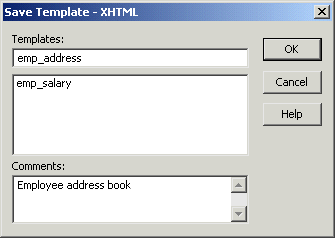
The template is stored inside the DataWindow object in the
PBL. After saving a template with a DataWindow
object, you can see its definition in the Source editor for the
DataWindow object. For example, this is part of the source for a
DataWindow that has two templates. The templates have required
elements only:
|
1 2 3 4 5 |
export.xhtml(usetemplate = "t_phone" template = (name = "t_address" comment = "Employee Address Book" xhtml = "<...>") template = (name = "t_phone" comment = "Employee Phone Book" xhtml = "<...>") ) |
Note
Defining multiple templates You can define multiple templates
for a single DataWindow object. One reason you might do this is to
vary the edit styles generated for the same DataWindow edit
control.