Saving a layout
When you have rearranged panes in the painter window,
PowerBuilder saves the layout in the registry. The next time you
open the painter window, your last layout displays. You can also
save customized layouts so that you can switch from one to another
for different kinds of activities.
To save customized layouts for a painter window
-
Select View>Layouts>Manage from the menu bar.
-
Click the New Layout button (second from the left at the
top of the dialog box).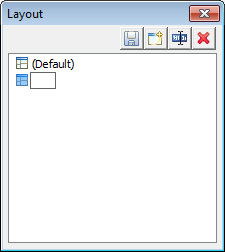
-
Type an appropriate name in the text box and click
OK.You can restore the default layout at any time by
selecting View>Layout>Default.
Document get from Powerbuilder help
Thank you for watching.
Subscribe
Login
0 Comments
Oldest