Retrieve and Update errors and the DBError event
Retrieve and update
testing
When using the Retrieve or Update method in a DataWindow control,
you should test the method’s return code to see whether the activity
succeeded.
Do not test the SQLCode attribute
After issuing a SQL statement (such as CONNECT, COMMIT, or
DISCONNECT) or the equivalent method of the transaction object, you
should always test the success/failure code (the SQLCode attribute in
the transaction object). However, you should not use this type of
error checking following a retrieval or update made in a
DataWindow.
For more information about error handling after a SQL statement,
see the section called “Using Transaction Objects” in Application Techniques.
|
Method |
Return code |
Meaning |
|---|---|---|
|
Retrieve |
>=1 |
Retrieval succeeded; returns the number of rows |
|
-1 |
Retrieval failed; DBError event |
|
|
0 |
No data retrieved. |
|
|
Update |
1 |
Update succeeded. |
|
-1 |
Update failed; DBError event |
Example
PowerBuilder
If you want to commit changes to the database only if an update
succeeds, you can code:
|
1 2 3 4 5 |
IF dw_emp.Update() > 0 THEN COMMIT USING EmpSQL; ELSE ROLLBACK USING EmpSQL; END IF |
Using the DBError event
The DataWindow control triggers its DBError event whenever there
is an error following a retrieval or update; that is, if the Retrieve or
Update methods return -1. For example, if you try to insert a row that
does not have values for all columns that have been defined as not
allowing NULL, the DBMS rejects the row and the DBError event is
triggered.
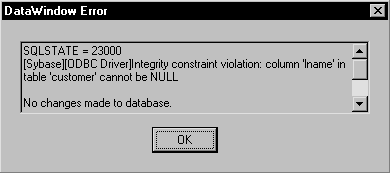
By default, the DataWindow control displays a message box
describing the error message from the DBMS, as shown here:
In many cases you might want to code your own processing in the
DBError event and suppress the default message box. Here are some tips
for doing this:
|
To |
Do this |
|---|---|
|
Get the DBMS’s error code |
Use the SQLDBCode argument of the DBError |
|
Get the DBMS’s message text |
Use the SQLErrText argument of the DBError |
|
Suppress the default message box |
Specify an action/return code of 1. |
About DataWindow action/return codes
Some events for DataWindow controls have codes that you can set
to override the default action that occurs when the event is
triggered. The codes and their meaning depend on the event. In
PowerBuilder, you set the code with a RETURN statement.
Example
PowerBuilder
Here is a sample script for the DBError event:
|
1 2 3 4 5 6 7 8 9 |
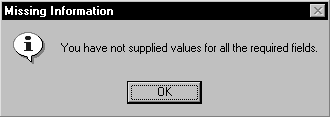
// Database error -195 means that some of the // required values are missing IF sqldbcode = -195 THEN MessageBox("Missing Information", & "You have not supplied values for all " & +"the required fields.") END IF // Return code suppresses default message box RETURN 1 |
During execution, the user would see the following message box
after the error: