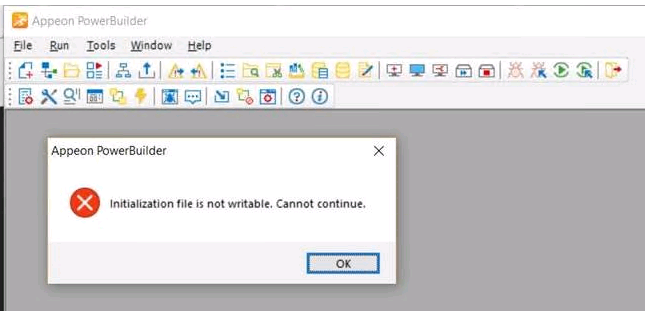
PB IDE fails to run and shows error “Initialization file is not
writable. Cannot continue.”
Symptom
When starting PB IDE, the following error is displayed:
Environment
PowerBuilder 2017 or later
Cause
The current user does not have sufficient permissions to read and
write the initialization file.
Solution
Make sure the current user has full permissions to this path:
C:Users<yourname>AppDataLocalAppeonPowerBuilder ##.0.
Document get from Powerbuilder help
Thank you for watching.
Subscribe
Login
0 Comments
Oldest