Object source code
The Library painter lets you export source code, study and even
modify it in any text editor, and import it back into the library.
PowerBuilder compiles the imported object to check that the source code
is valid. It will not import objects that fail to compile.
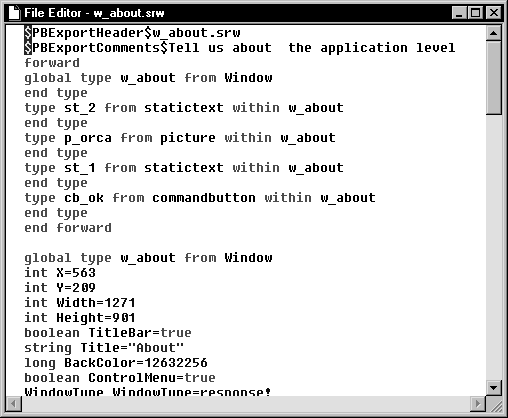
Source code exported to a file has two header lines before the
source code:
|
1 2 |
$PBExportHeader$w_about.srw $PBExportComments$Tell us about the application level |
ORCA functions ignore these header lines and use the lpszEntryName
and lpszComments arguments passed to the function.
You can view the exported source code in the PowerBuilder file
editor:
Learning source code
syntax
The syntax for object source code is not documented. The only way
to learn what belongs in source code is by exporting objects and
studying their source.
ORCA and source code
ORCA has an export function so it can examine and modify existing
objects. With PowerBuilder 10 and higher, a developer can configure the
ORCA session to export source either to a memory buffer or to a file.
The developer can also specify which of the four source encoding formats
to use, whether or not to export the two export header lines, and
whether or not to include the binary component of an object.