Modifying the scripts
In this section, you will learn how to parameterize/correlate
the session ID and transaction ID so that they are correlated with the
dynamic values instead of static ones. You will learn more about
parameterization and correlation for the access token, retrieval
arguments, and ESQL parameters in the section called “Parameterization and correlation”.
This section will reuse the test plan and thread group that was
just recorded in the section called “Recording scripts automatically (using Recorder)”.
Clean up the recorded test plan by removing any duplicated and
unnecessary requests. Suppose the test plan looks like this after
cleanup:
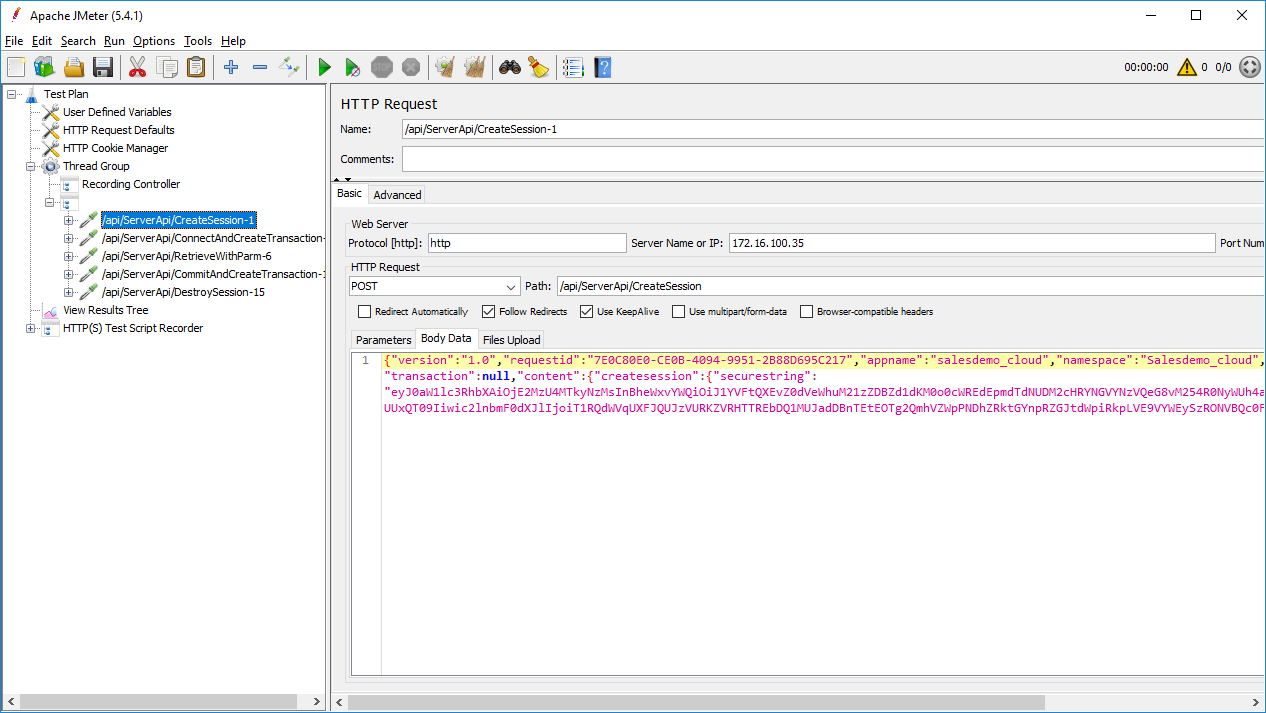
Now you will add two other thread groups:
-
setUp Thread Group:
contains the pre-test actions such as creating the session,
connecting to the database, starting the transaction etc. Normally
the setUp Thread Group runs only once. -
tearDown Thread Group:
contains the post-test actions such as committing a transaction,
disconnecting from the database, destroying the session etc.
Normally the tearDown Thread Group runs only once.