Modifying the database connection
In Creating a
database, you have already created a SQL Server database in
Azure.
Now you will need to modify the database connection cache to
point to this database created in Azure.
Step 1: On the Database page
> Advanced tab of the PowerServer
project painter, click the New button
in the upper part to create a new connection cache.
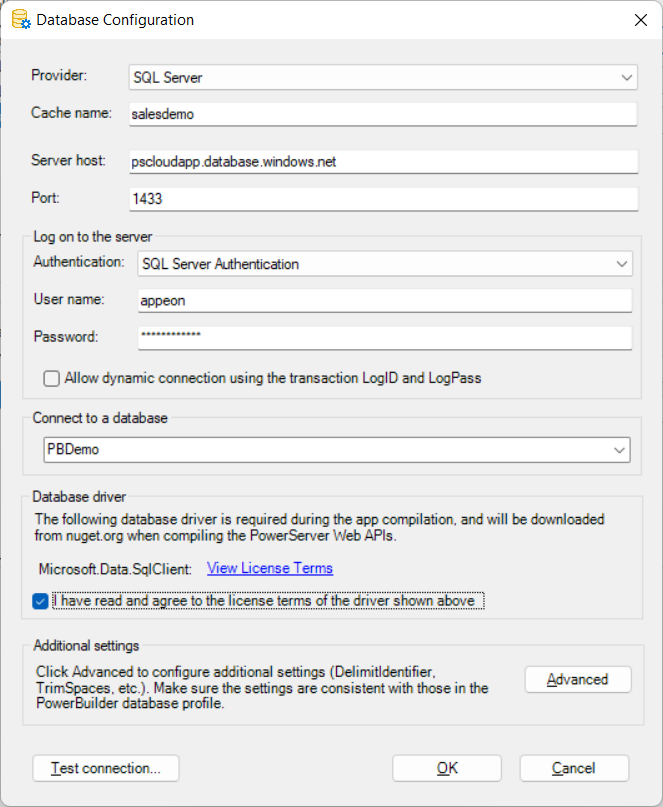
Step 2: In the dialog box that displays, specify the database
connection settings. For example, you specify the settings as shown
below to connect to the Azure SQL database in Creating a database.
Step 3: In the Database driver
group, select the option “I have read and agree to the license
…”.
Step 4: When the cache is created successfully, make sure to
select this new cache to map with the transaction object in the lower
part of the window.
