Installing PowerBuilder demo applications and database
Contents
The PowerBuilder demo applications and database are installed by
default, unless you selected “Dot not install
demo” during the online installation, or de-selected the
PowerBuilder Tutorial, Demo Database, and Code
Examples components during the offline installation.
If the PowerBuilder demo applications and database are not
installed during the PowerBuilder installation process, you can manually
download the demo app source code and database from the Appeon website
later: Example
App, Example
Graph App, Example
Sales App and the database
file.
But before you can successfully run the downloaded demo
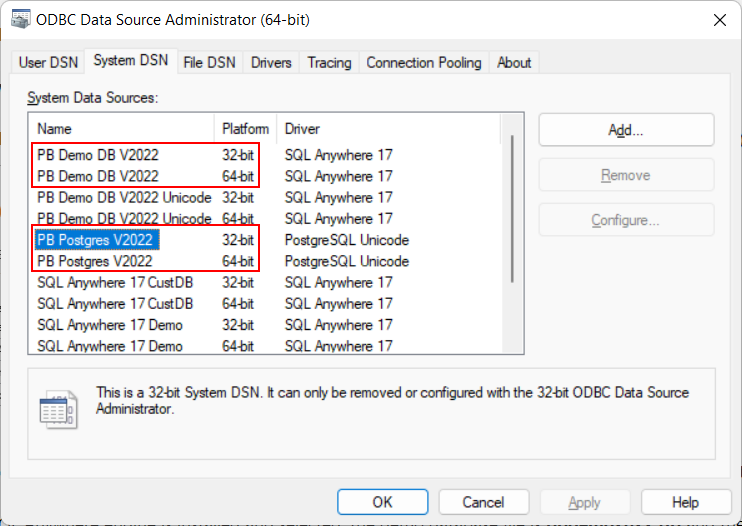
application, you will need to set up an ODBC data source to connect with
the demo database.
Note
The demo database will be connected through the ODBC data
source.
To use the demo database with the PowerBuilder Application
projects and PowerClient projects, you will need a 32-bit ODBC data
source (hence a 32-bit ODBC driver is required).
To use the demo database with the PowerServer projects, you will
need a 64-bit ODBC data source (hence a 64-bit ODBC driver is
required).
It is recommended that you create both the 32-bit and 64-bit
ODBC data sources, with the same name.