IDE enhancements
PowerBuilder IDE has the following enhancements:
-
Supports opening multiple editors/painters in tabs rather
than MDI.When right-clicking on the tab, you can choose from the
popup menu to save the current object or close the tab in various
ways including Close Current Tab, Close Tabs to the Left, Close
Tabs to the Right, Close All But This, and Close All Tabs.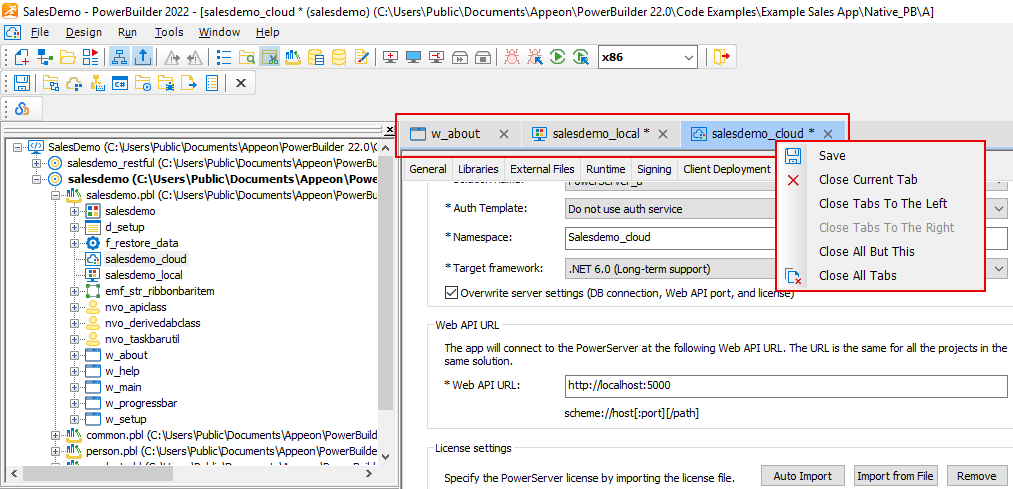
-
Supports jumping to the selected object from the Script
editor or Edit Source window. You can only jump to an object, and
cannot jump to a function, event, or object variable. You will
need to select the object name first before jumping. If there is
more than one object with the same name, it will jump to the first
one found on the PBL list.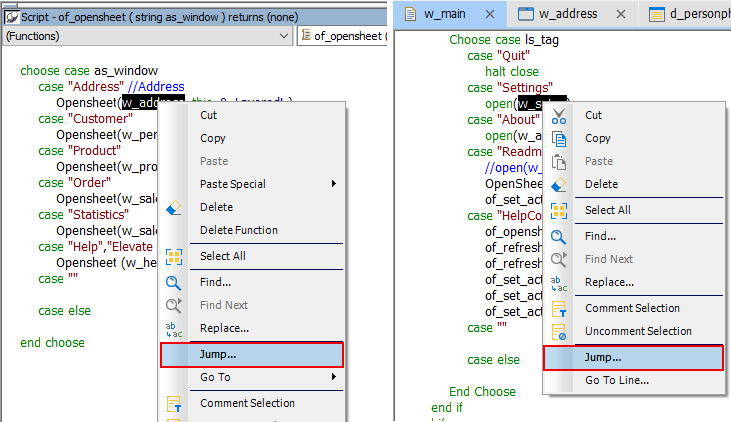
-
Supports searching by regular expressions on PBLs too (not
just in scripts).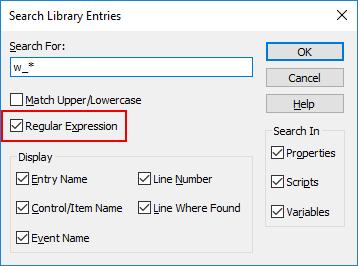
-
Adds a Filter box to filter application libraries in the
Save dialog.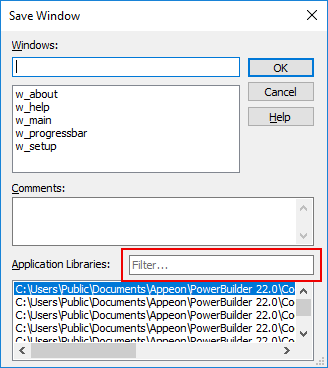
-
Adds a Filter box to filter the tables to select from when
creating DataWindows using SQL Select.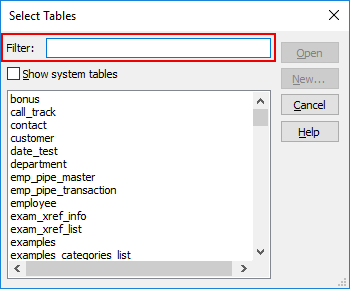
-
Adds a Filter box to filter the stored procedures to select
from when modifying DataWindows using Stored Procedure. -
Able to resize a number of windows/dialogs, including
“QuickWatch” window, “Insert Object” window, and “Specify Update
Properties” window. -
Supports scrolling through records using mouse wheel in the
“Specify Retrieval Arguments” dialog.