Folder/file name containing character + cannot be
downloaded
If the folder or file name contains the character “+”, an 404
error will occur when the file is downloaded from the IIS web
server.
Cause & Solution:
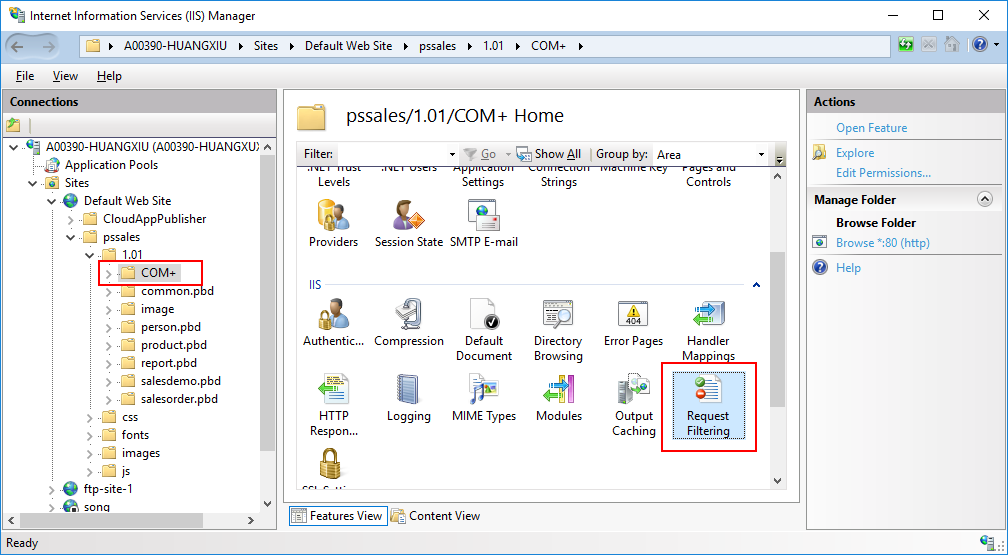
In IIS Manager, select the folder which contains the character
“+” in the folder or file name, and then double click Request Filtering on the Features View.
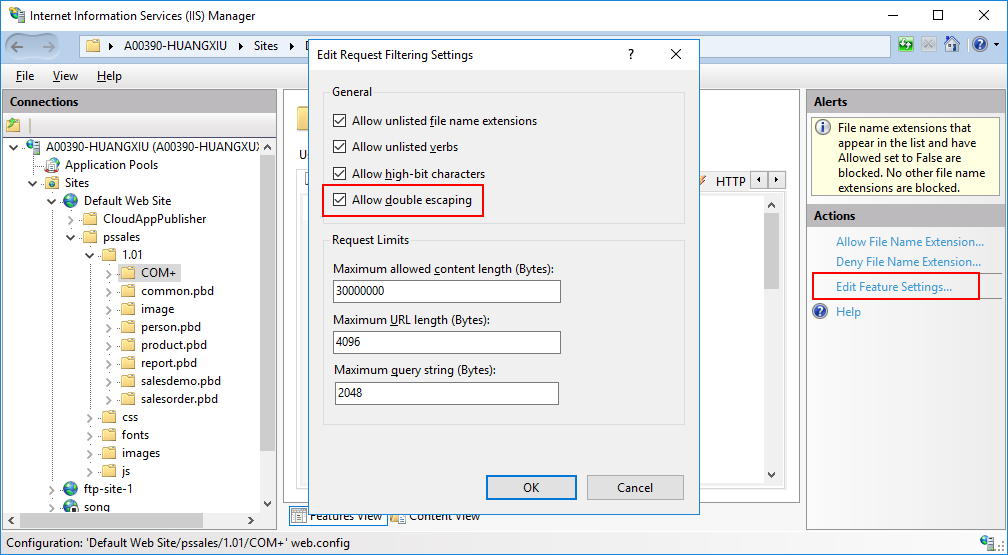
Click Edit Feature Settings
in the Actions pane.
In the Edit Request Filtering
Settings dialog box, select Allow
double escaping.
Document get from Powerbuilder help
Thank you for watching.
Subscribe
Login
0 Comments
Oldest