Float the toolbars
You can float the toolbars so that you can move them around the
painter workspace as you work.
-
Right-click anywhere in the PowerBar.
The pop-up menu for the toolbars displays. From the pop-up
menu you can set the toolbar’s location to the left, top, right, or
bottom of the workspace. You can also set it to floating.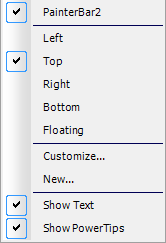
About pop-up menus
Throughout PowerBuilder, pop-up menus provide a fast way to
do things. The menu items available in the pop-up depend on the
painter you are using and where you are in the workspace when you
click the right mouse button. -
Select Floating from the pop-up menu.
The PowerBar changes to a floating toolbar. You can adjust its
shape.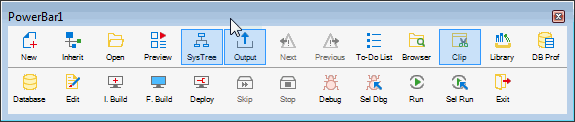
-
Move the pointer to an edge or border area in the
PowerBar. -
Press and drag the PowerBar toward the left side of the
workspace.Release the mouse button when the PowerBar becomes a vertical
bar.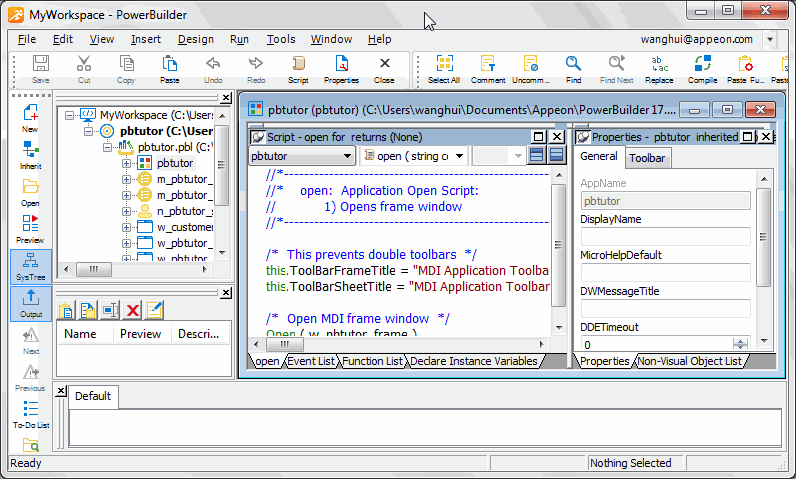
The PowerBar is docked at the left side of the frame.