Finding examples
If you are looking for ways to work with a specific PowerBuilder
object class or feature, you can use the categories in the Examples pane
and the descriptions to locate examples. If you are looking for examples
using a specific event, function, or user-defined object, use the Search
pane.
To search for a function, event, or object:
-
Click the Search tab in the Code Examples main window.
-
Select a radio button in the Search On group box.
-
Select the item you want in the drop-down list and click
Perform Search.The names of all the examples that use the function, event, or
object you searched for display: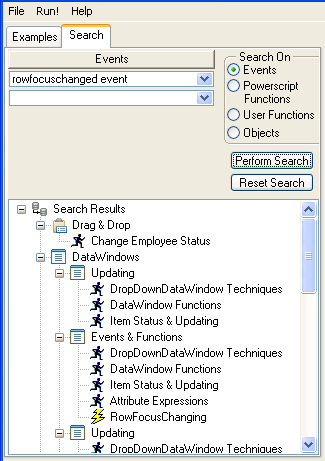
Document get from Powerbuilder help
Thank you for watching.
Subscribe
Login
0 Comments
Oldest