Failed to load database driver for PowerServer project
When you create the database connection in the PowerServer project
settings > Database page and select MySQL, Oracle, or Informix as the
database provider, you will be asked to specify a location for the .NET
Core driver or allow PowerBuilder to install the required driver from
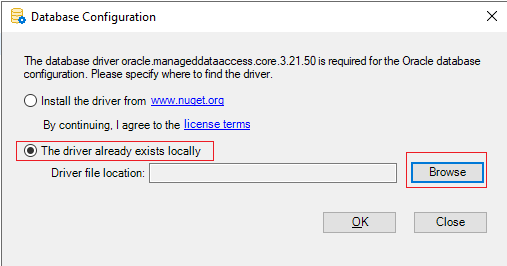
the NuGet website. If you browse and choose the driver locally and click
OK (as shown in the first figure below), you will see a message saying
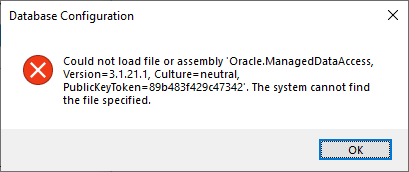
that the driver is loaded successfully. But when you test the database
connection later (by clicking the Test connection button), you may get
the error in the second figure, saying that the specified driver cannot
be loaded.
Cause:
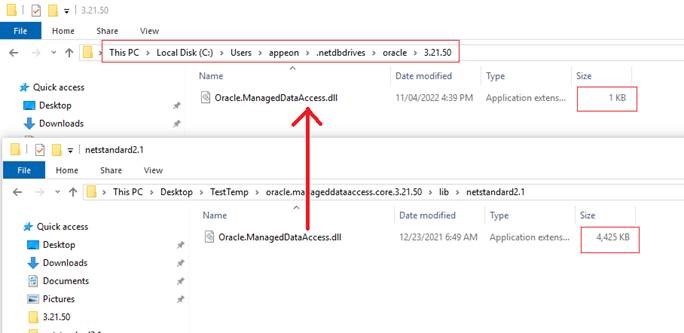
This issue is caused by failing to copy the driver file.
Solution:
Users can manually copy the driver file to the PowerServer
project’s driver loading folder, for example,
C:Users\%user_home%.netdbdrivesoracle\%driver_version%.