Exporting the build file
Now let’s export the PowerClient project settings of the
Example Sales Demo to a JSON
file:
Step 1: Open the workspace for the Example Sales App in the PowerBuilder IDE,
and then double-click the PowerClient project object to open the
PowerClient project painter.
Step 2: When the PowerClient project painter is opened,
click the Export PowerClient Build
File button ( ) in the toolbar.
Step 3: In the Export Build
File dialog box, write down the path and filename to be
exported, and then click Export.
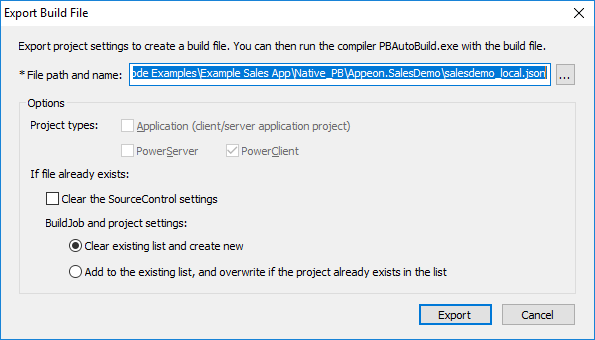
Document get from Powerbuilder help
Thank you for watching.
Subscribe
Login
0 Comments
Oldest