Direct Deployment (Visual Studio)
If you want to use Visual Studio for deploying directly to the
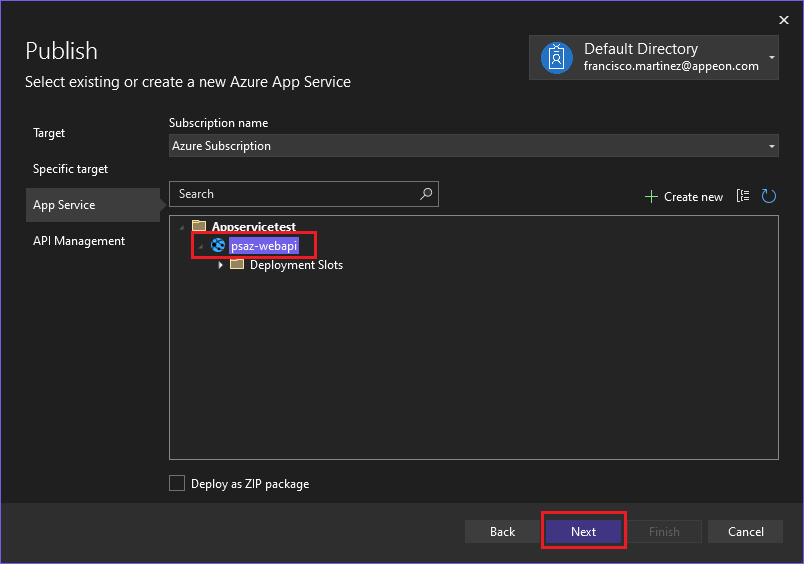
container, open the solution file in Visual Studio, and then publish the
project with target Azure, choosing Azure
App Service (Windows) and then selecting the container we
created.
In the API Management window, check the Skip this
step (we’re not using that feature for this tutorial) and
then click Finish. The publishing profile will be
created. You can Close the Create Publish
Profile window.
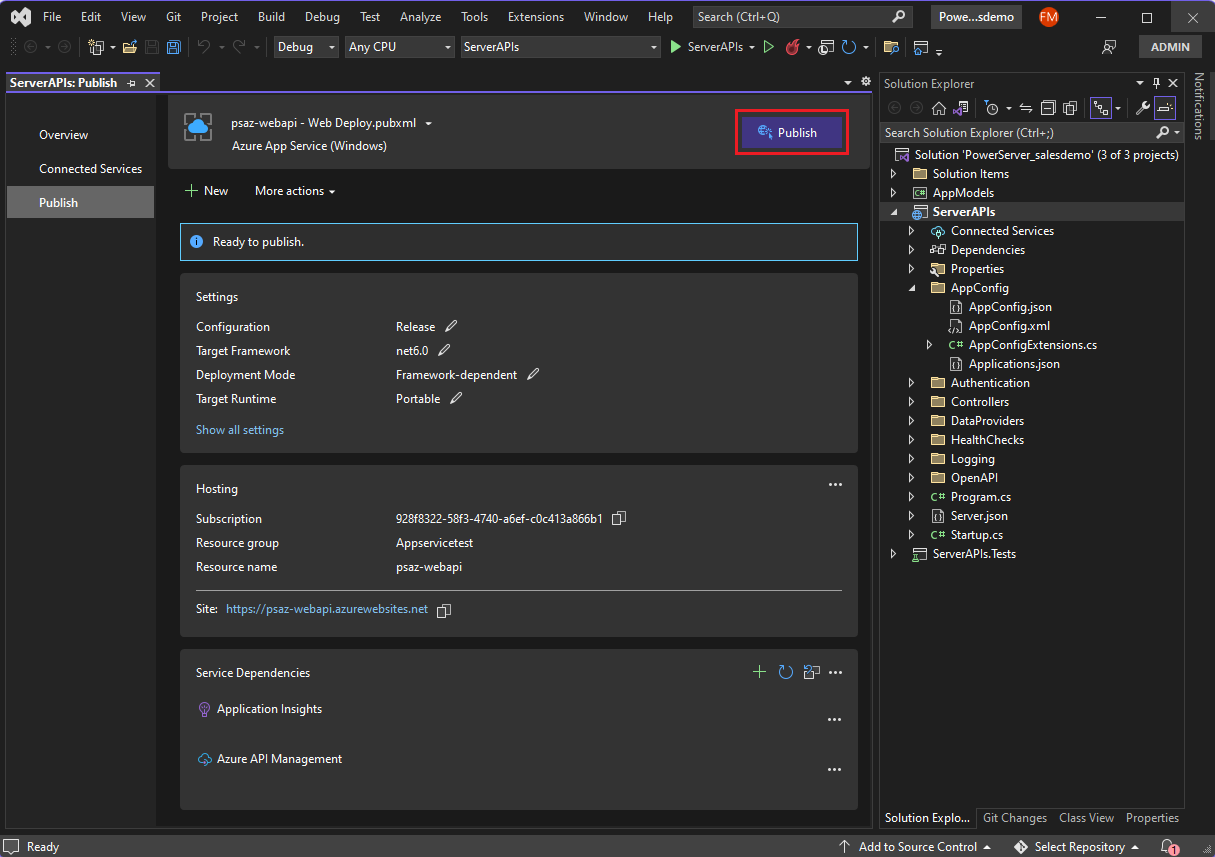
Now all you do is review the publishing settings and then click
Publish:
After the application finished publishing, a browser tab will open
automatically showing the application.
Document get from Powerbuilder help
Thank you for watching.
Subscribe
Login
0 Comments
Oldest