Defining the SQL Anywhere data source
When you create a local SQL Anywhere database,
PowerBuilder automatically creates the data source definition and
database profile for you. Therefore, you need only use the following
procedure to define a SQL Anywhere data source when you want to access a
SQL Anywhere database not created using PowerBuilder on your
computer.
To define a SQL Anywhere data source for the SQL Anywhere
driver:
-
Select Create ODBC Data Source from the list of ODBC utilities
in the Database Profiles dialog box or the Database painter. -
Select User Data Source and click Next.
-
On the Create New Data Source page, select the SQL Anywhere
driver and click Finish.The ODBC Configuration for SQL Anywhere dialog box
displays: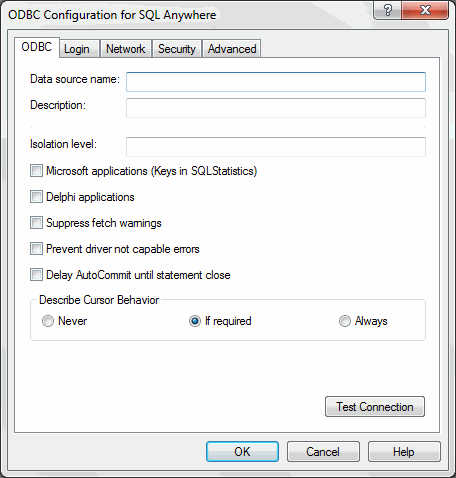
-
You must supply the following values:
-
Data source name on the ODBC tab page
-
User ID and password on the Login tab page
-
Database file on the Database tab page
Use the Help button to get information about fields in the
dialog box. -
-
(Optional) To select an ODBC translator to translate your data
from one character set to another, click the Select button on the
ODBC tab. -
Click OK to save the data source definition.
Specifying a Start Line
value
When the SQL Anywhere ODBC driver cannot find a running personal
or network database server using the PATH variable and Database Name
setting, it uses the commands specified in the Start Line field to start
the database servers.
Specify one of the following commands in the Start Line field on
the Database tab page, where n is the version of SQL Anywhere you are
using.
|
Specify this command |
To |
|---|---|
|
dbengn.exe |
Start the personal database server and the database |
|
rtengn.exe |
Start the restricted runtime database server and |
For information on completing the ODBC Configuration For SQL
Anywhere dialog box, see the SQL Anywhere documentation.