Creating the Database Resource
Go to the Azure web portal and then to the Create Resource page.
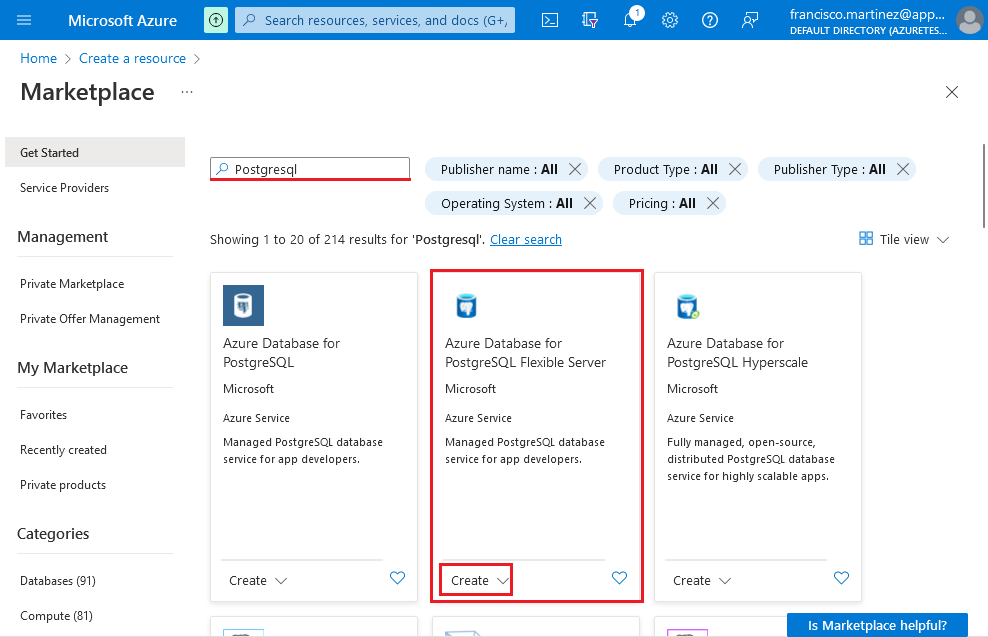
Search for PostgreSQL and click Create on the Azure Database
for PostgreSQL Flexible Server.
Configure the server according to your preference, but paying
attention to the following settings:
-
PostgreSQL version should be the same as the PostgreSQL client
installed on your machine -
Configure the network accessibility to allow your machine to
remotely connect to the server -
Check the Allow public access from any Azure service
within Azure to this server option
Please note that the 2 previous requirements are not fit for a
production environment (unless you know what you’re doing) and are only
meant to facilitate this tutorial.
After reviewing the settings go to the Review +
Create tab and click the Create
button:
