Creating an IIS web site
Let’s create a new IIS web site for hosting the
applications.
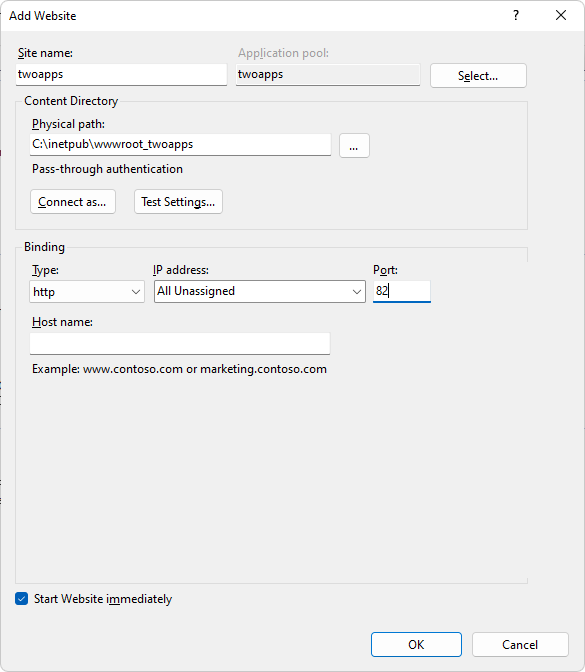
(Suppose the IP address of the server is 172.16.100.35 using port
82 pointing to the physical path C:inetpubwwwroot_twoapps. You should
replace “172.16.100.35” or “localhost” with your own IP address.)
Site name: You can name the site
whatever you like, for example, twoapps.
Port: 82 in this example. You
must make sure the port number is not occupied by any other program. For
detailed steps, follow the instructions in Choosing an appropriate
port number.
Physical path:
C:inetpubwwwroot_twoapps in this example.
Note
If firewall is turned on in your IIS server, make sure to configure the
firewall to allow the port number (82 or any port number you
choose).