Creating a RibbonBar using RibbonBar Builder
It is recommended that you use RibbonBar Builder to create the
source of a RibbonBar control and then use the source to create the
RibbonBar control in the application.
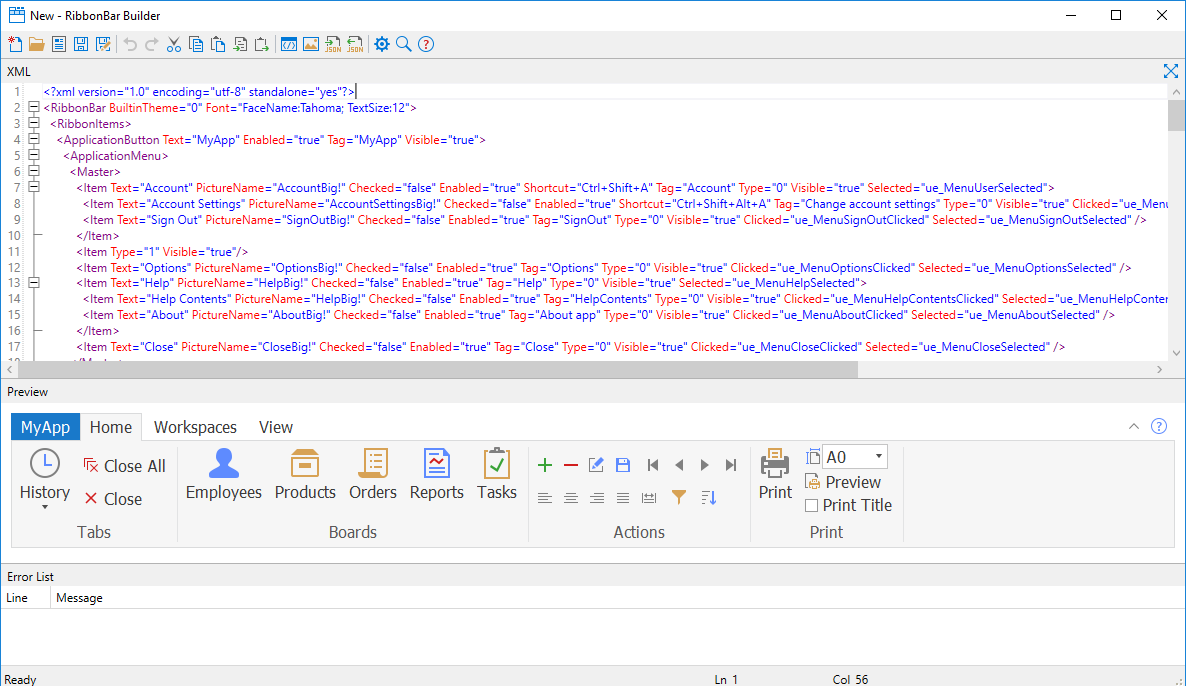
RibbonBar Builder provides a graphical UI of the RibbonBar control
template and the corresponding XML scripts in an editor, to help you
quickly create your own source of a ribbon bar.
To launch the RibbonBar Builder, select Tools > RibbonBar
Builder from the menu bar in the PowerBuilder IDE.
To open the RibbonBar control template in the RibbonBar Builder,
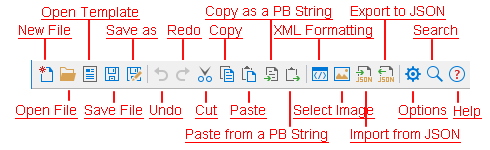
click the Open Template button on the
toolbar of the RibbonBar Builder.
Document get from Powerbuilder help
Thank you for watching.
Subscribe
Login
0 Comments
Oldest