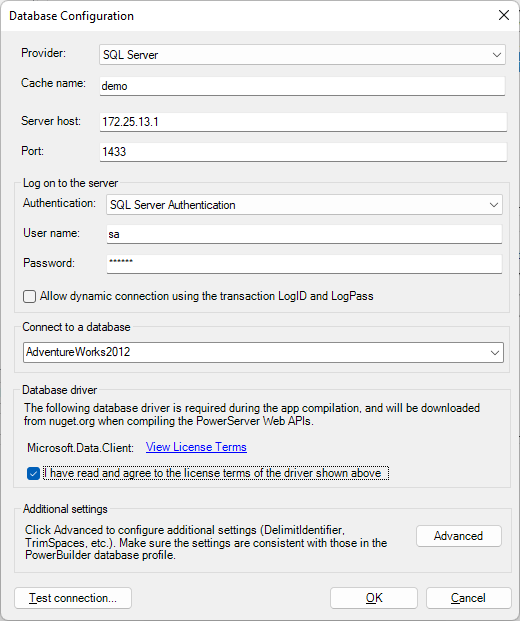
Connecting over TCP/IP protocol
To create a database connection cache for the SQL Server
database over the TCP/IP protocol:
Specify the Server host field
according to the following table. The TCP/IP protocol will be used by
default.
|
Server name |
Connection String |
Description |
|---|---|---|
|
172.25.13.1 |
Data Source=172.25.13.1;Initial Catalog=SnapTest;User |
Connect by IP |
|
127.0.0.1sql2016 |
Data Source=172.25.13.1sql2016;Initial |
Connect to the specific instance by IP |
|
RemoteDBMachineName |
Data Source=RemoteDBMachineName;Initial |
Connect to the remote database by its machine |
|
RemoteDBMachineNameinstancename |
Data Source=RemoteDBMachineNameinstancename;Initial |
Connect to the specific instance by its machine |
|
tcp:(local)MSSQLSERVER01 |
Data Source=tcp:(local)MSSQLSERVER01;Initial |
Force to use TCP/IP protocol to connect to the |