Configuring ODBC for ASE
The ASE database can be connected using the ODBC driver only for
the PowerBuilder installable cloud app. You will need to configure the
ODBC data source in both the PowerBuilder IDE and the server hosting
PowerServer.
To configure ODBC for Adaptive Server Enterprise (using ASE 16 as
an example):
-
Install the ODBC driver for ASE 16.
-
Open the ODBC Data Source Administrator
(64-bit) tool (in the Windows search bar (or press Win +
Q), type “ODBC” and then select
ODBC Data Source (64-bit)). Only
64-bit ODBC data source is supported (32-bit is not
supported.) -
On the System DSN tab, click
Add. In the Create New Data Source dialog, select
Adaptive Server Enterprise driver
which was just installed, and then click Finish.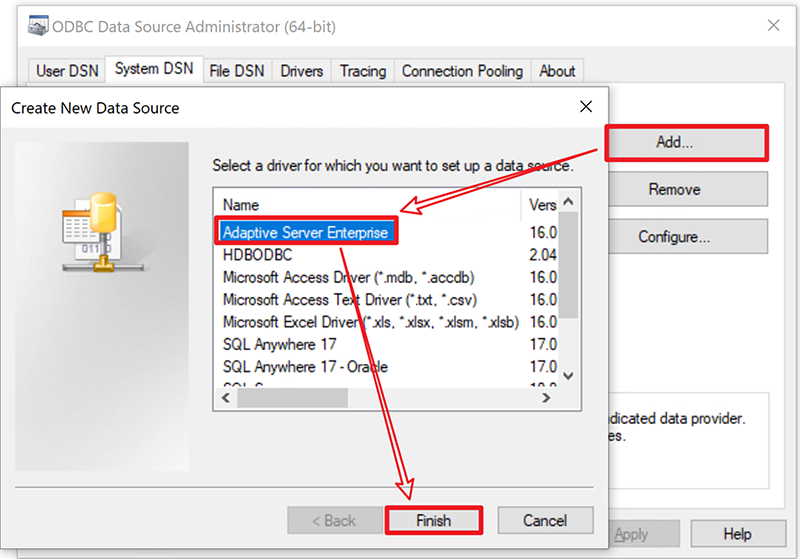
-
Create an ODBC data source by following the numerical order in
the figure below. Remember to replace the database information with
your own ones.