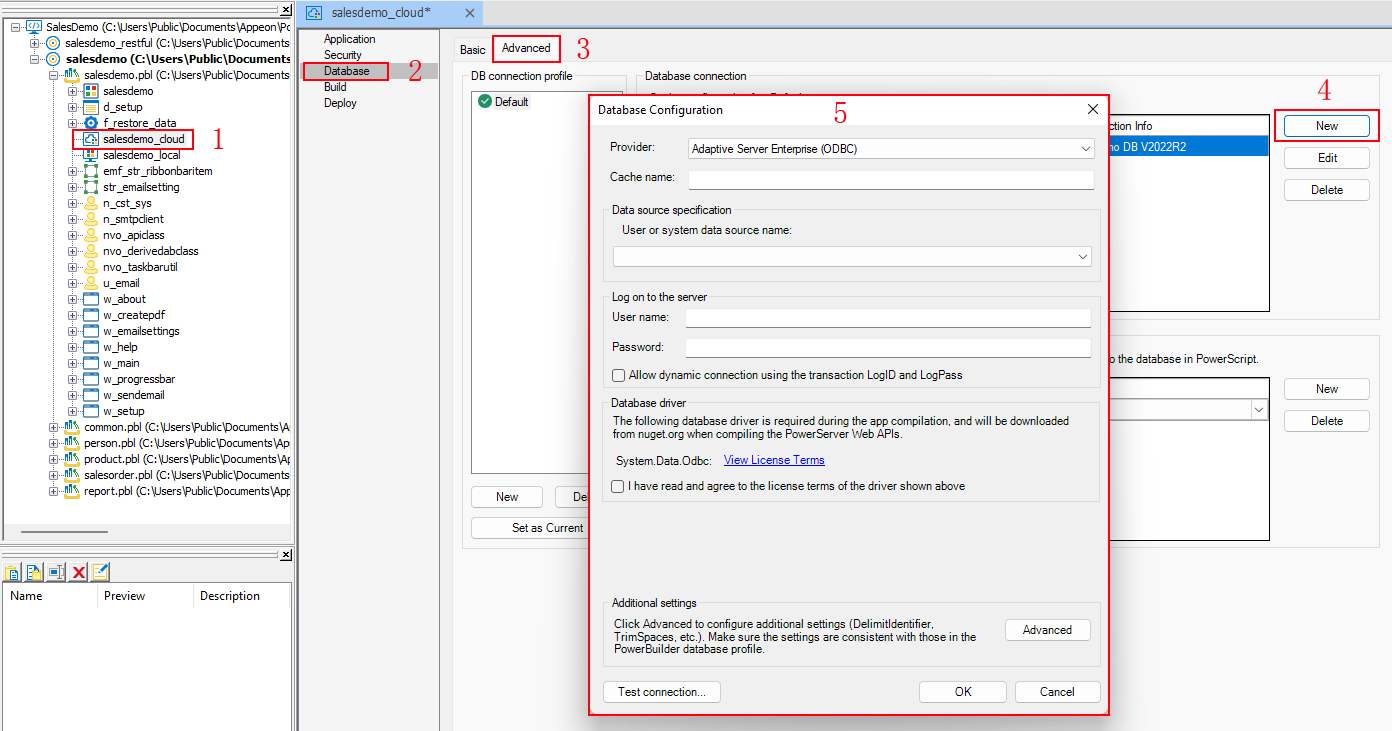
Accessing the Database Configuration dialog
You can create the database cache for various databases in the
Database Configuration dialog box in the
PowerBuilder IDE. The database caches created here will be used first by
PowerServer Toolkit to convert the DataWindows to C# models, and then
deployed to the PowerServer and used for the database connection at
runtime.
The Database Configuration dialog
box can be opened by 1) opening the PowerServer project painter in the
PowerBuilder IDE, 2) selecting the Database page, 3) selecting the Advanced tab, and then 4) clicking the New button.
If your application connects with only one database, you can also
directly configure the database cache in the Basic tab.
Document get from Powerbuilder help
Thank you for watching.
Subscribe
Login
0 Comments
Oldest