Managing templates
From the pop-up menu for the default XHTML export template (with no
items selected), you can create multiple templates and save them by name
with the DataWindow object open in the painter. You also can edit existing
templates associated with the current DataWindow object and, when you
associate more than one template with the DataWindow, delete the current
template:
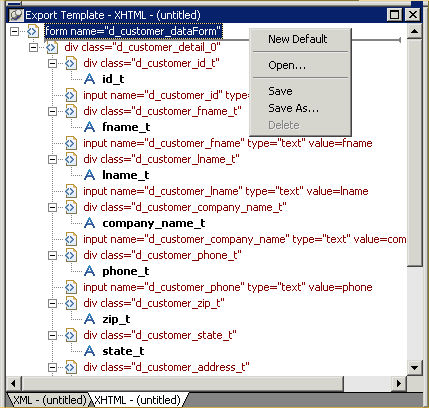
The pop-up menu has these options for managing templates:
|
Menu item |
Description |
|
New Default |
Define a new default XHTML export template based on the |
|
Open |
Open a saved template |
|
Save |
Save the current template; if the template has no name, |
|
Save As |
Save the current template with a new name |
|
Delete |
Delete the current template (enabled only if more than one |