Modifying the demo application scripts
After you restore the database file in a remote server, you
will now need to modify the demo application to connect with the
demo database on the remote server.
For example, you can modify the demo application to connect
with the demo database on the remote server via the following
connection strings.
|
1 |
<p>SQLCA.DBMS = "MSOLEDBSQL SQL Server"</p><p>SQLCA.LogPass = 'admin'</p><p>SQLCA.ServerName = "172.16.1.102"</p><p>SQLCA.LogId = "sa"</p><p>SQLCA.AutoCommit = False</p><p>SQLCA.DBParm = "Database='PBDemoDB2022', Provider='MSOLEDBSQL19', DelimitIdentifier=1"</p> |
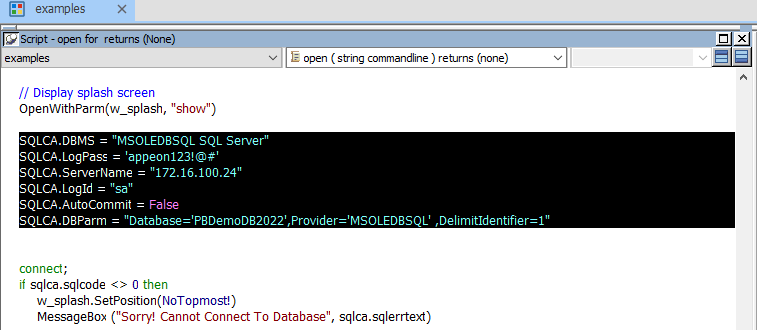
To modify Example
Demo:
Replace the following scripts in the Open event of the
application object
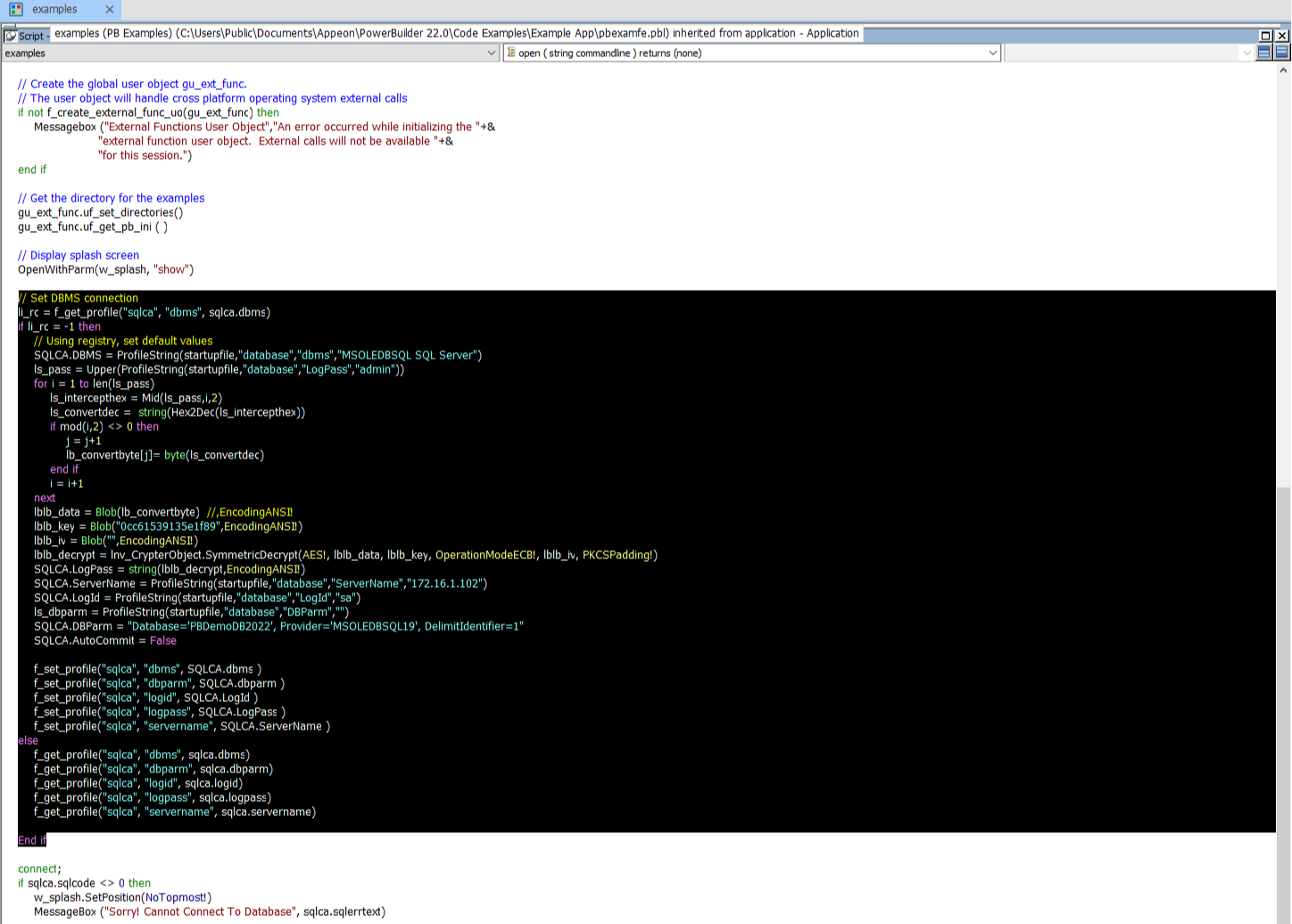
With the following scripts:
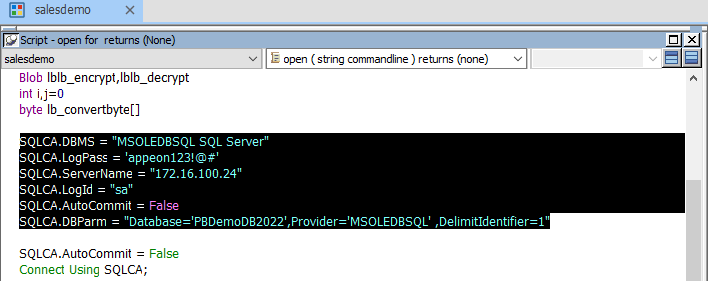
To modify Sales
Demo:
Replace the following scripts in the Open event of the
application object
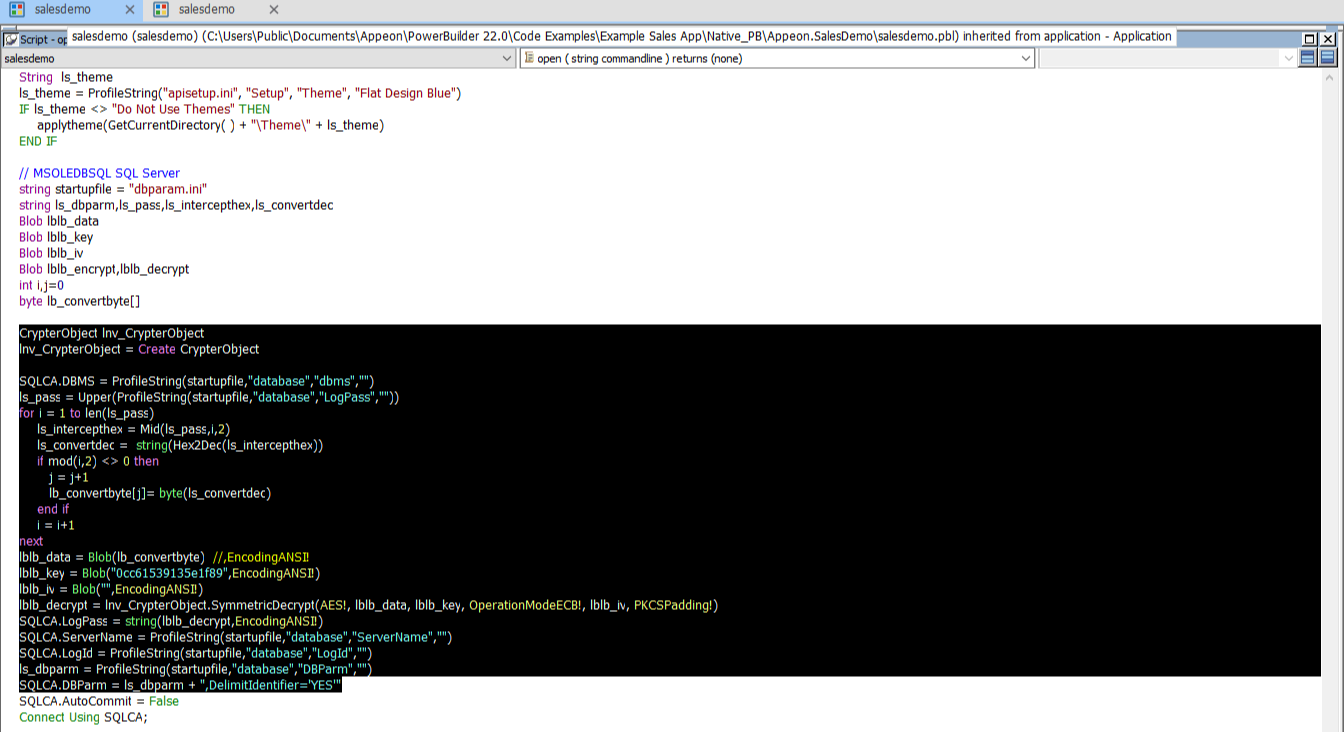
With the following scripts:
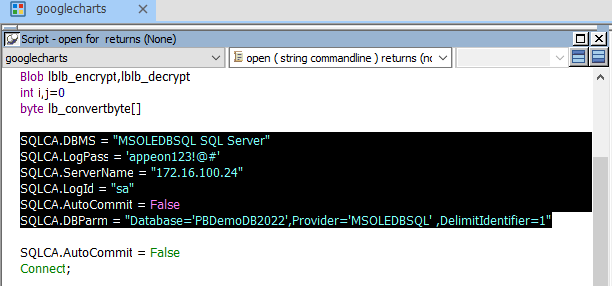
To modify Graph
Demo:
Replace the following scripts in the Open event of the
application object
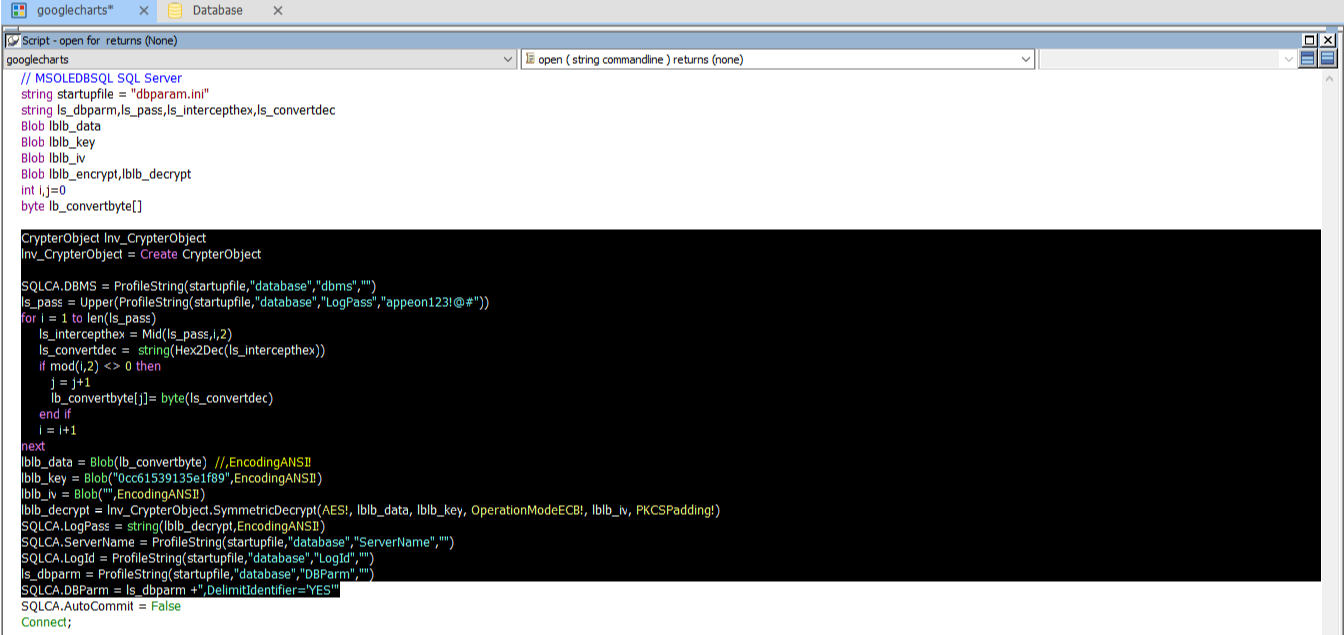
With the following scripts: