Run the ServerAPIs.Tests project
ServerAPIs.Tests is a unit test
project generated with the PowerServer C# solution; it contains a number
of XUnit.net tests which can check if the APIs in the ServerAPIs project can work correctly. The
following categories of test cases are provided to check the
corresponding APIs:
-
DataWindows
-
Embedded SQLs
-
Stored procedures
-
Sessions
-
Transactions
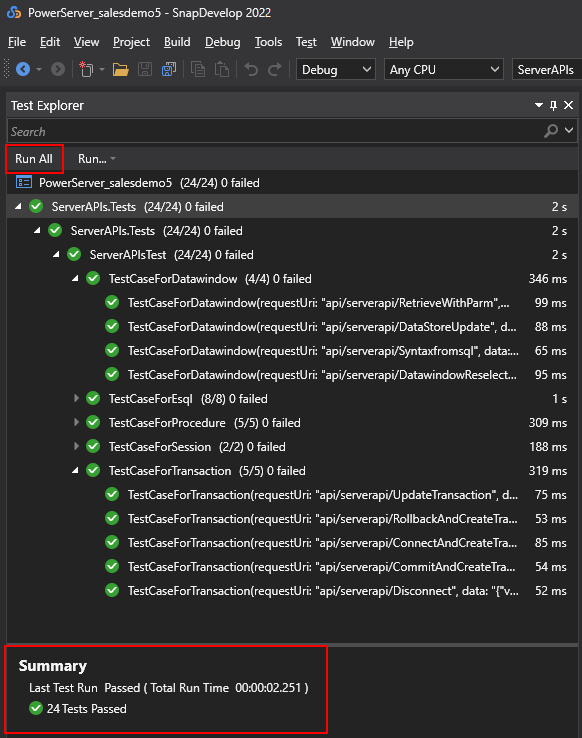
To run the test case in the ServerAPIs.Tests project, select the Test > Test
Explorer menu in the SnapDevelop IDE, and then click
Run All in Test
Explorer to run all the test cases, or right click the test
case you want to run and then select Run Selected
Tests.
Check the Summary window to make
sure all tests have passed successfully.
Document get from Powerbuilder help
Thank you for watching.
Subscribe
Login
0 Comments
Oldest