Enabling the FTP service
The following steps will walk you through setting up an IIS FTP
server.
To enable the IIS FTP service,
Step 1: Follow the instructions in Installing Web Server (IIS)
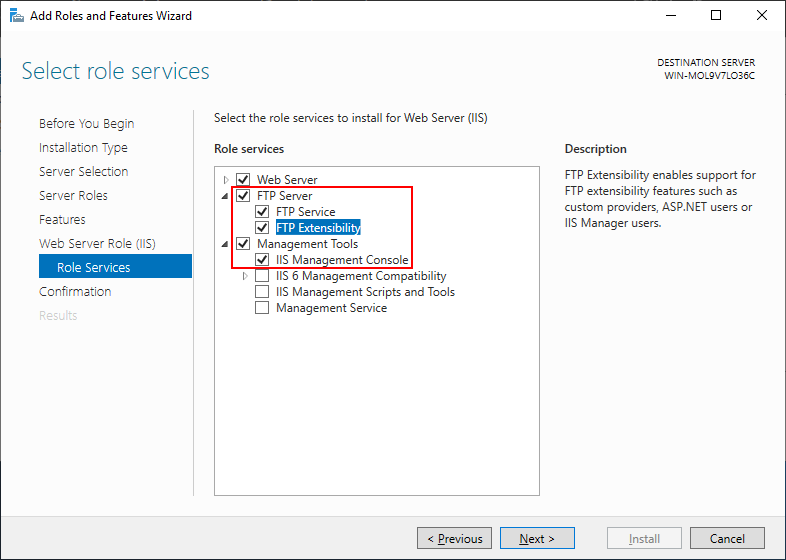
until the Role Services section displays;
and make sure the following role services are selected and
installed.
-
FTP Server
-
FTP Service
-
FTP Extensibility
-
-
Management Tools
-
IIS Management Console
-
Step 2: Click Next to install the
selected services.
Document get from Powerbuilder help
Thank you for watching.
Subscribe
Login
0 Comments
Oldest