Connection Information

To perform the requested action, WordPress needs to access your web server. Please enter your FTP credentials to proceed. If you do not remember your credentials, you should contact your web host.

Connection Type

Enabling Static Web Site – PB Docs 2022 – PowerBuilder Library

Enabling Static Web Site – PB Docs 2022

Enabling Static Web Site

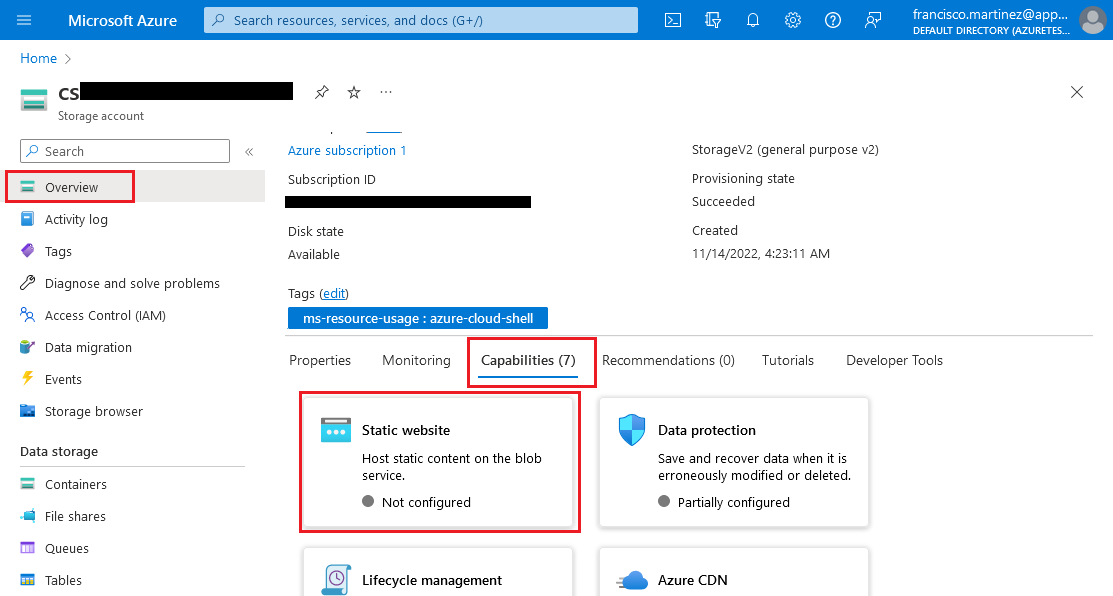
Go to your Azure Storage account. In the
Overview section open the
Capabilities tab, and then the Static
website
capability.
azure_portal_storageaccount.png

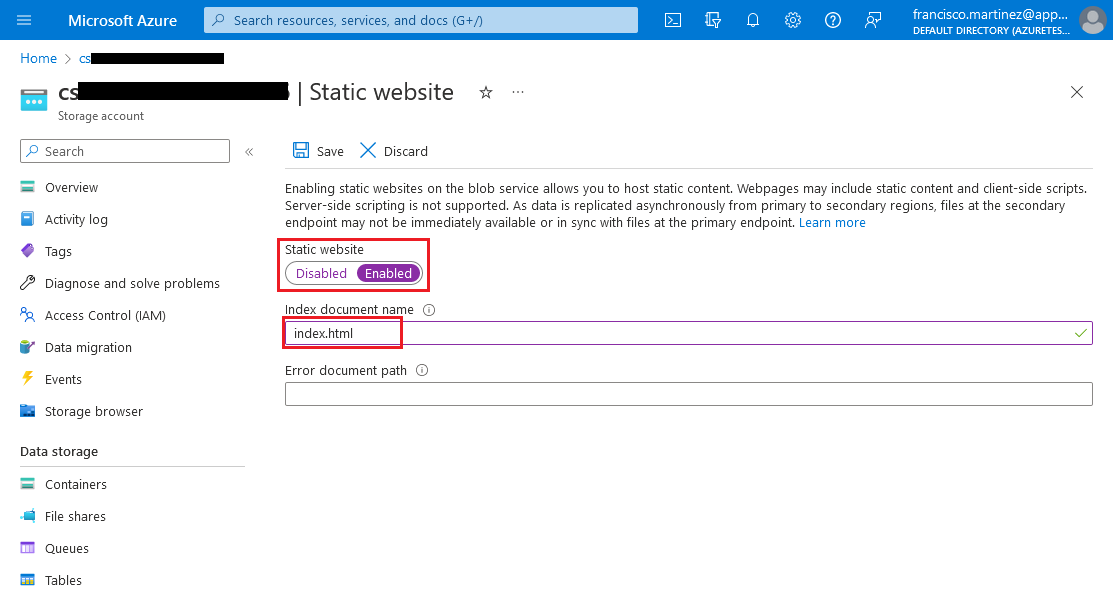
Enable and configure the Static website
capability, setting index.html as the
Index document name and then click the
Save button.
azure_portal_configure_static_website.png

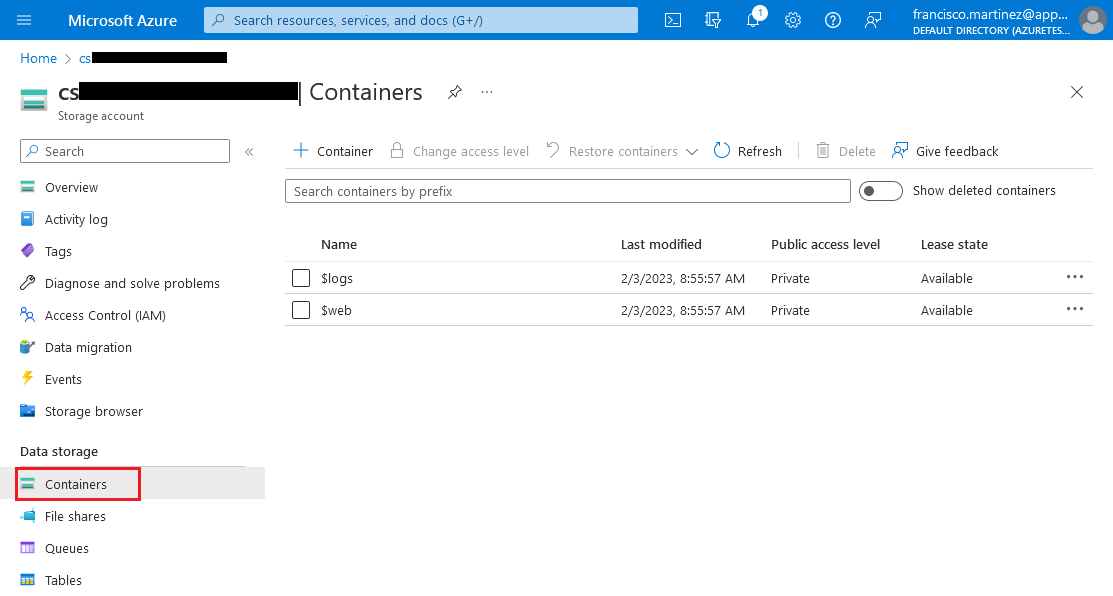
In the Containers section, two new
containers should show up:
azure_portal_conatiners_overview.png

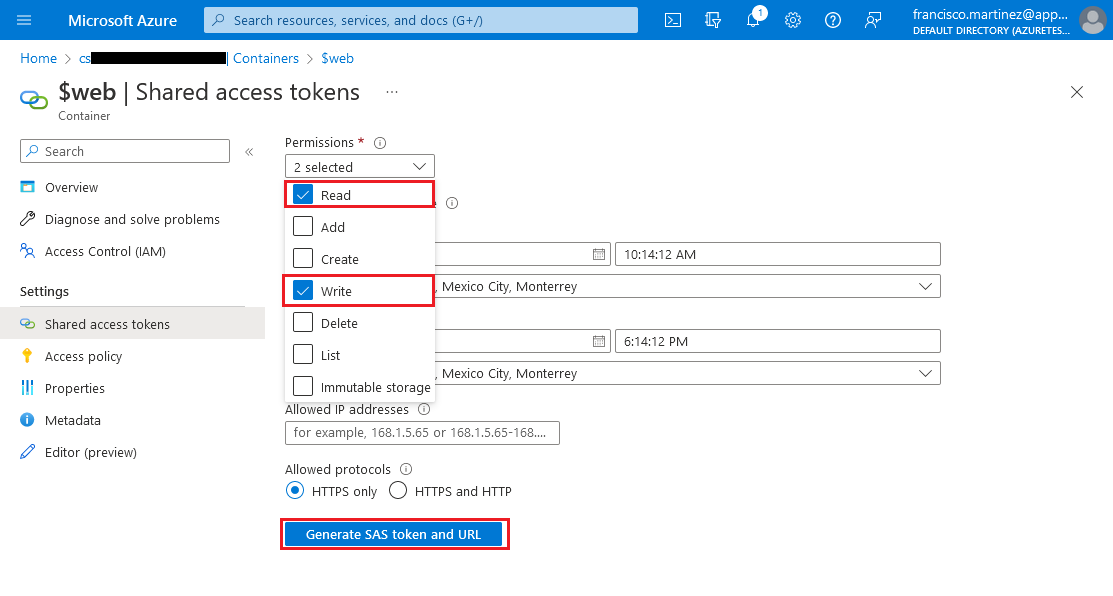
Go to the Shared access tokens section and
check the Read and Write
permissions, then click the Generate SAS token and
URL
button.
azure_portal_webcontainer_sas.png

Copy the Blob SAS URL that appears.

Please note that this key has a validity period which is
configured in this same page. After this period expires, you won’t be
able to use the same SAS URL and you will have to generate a new
one.


Document get from Powerbuilder help
Thank you for watching.
Was this article helpful?
Subscribe
Notify of
guest
0 Comments
Oldest
Newest Most Voted
Inline Feedbacks
View all comments
0
Would love your thoughts, please comment.x
()
x