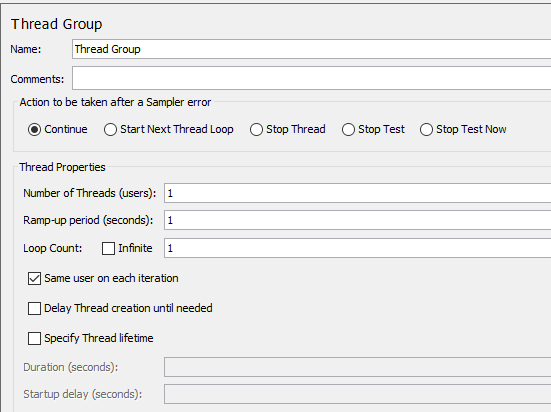
Adding a Thread Group
A Test Plan must have at least one thread group. The Thread
Group tells JMeter the number of users (threads) you want to
simulate, how often users should send requests and how many
requests they should send.
To add a Thread Group to the test plan, right click on the
test plan that you added just now, and then select Add > Threads
(Users) > Thread
Group.

You will need to configure the following properties:
-
Number of threads
(users): how many concurrent users will be
accessing the PowerServer Web APIs. -
Ramp-up period
(seconds): how long to take to start all users. For
example, if set to zero, all users will start immediately. If
set the number of users to 100, and ramp-up periods to 50,
that means in every second, 2 users will be started. -
Loop count: how many
times the test should repeat.